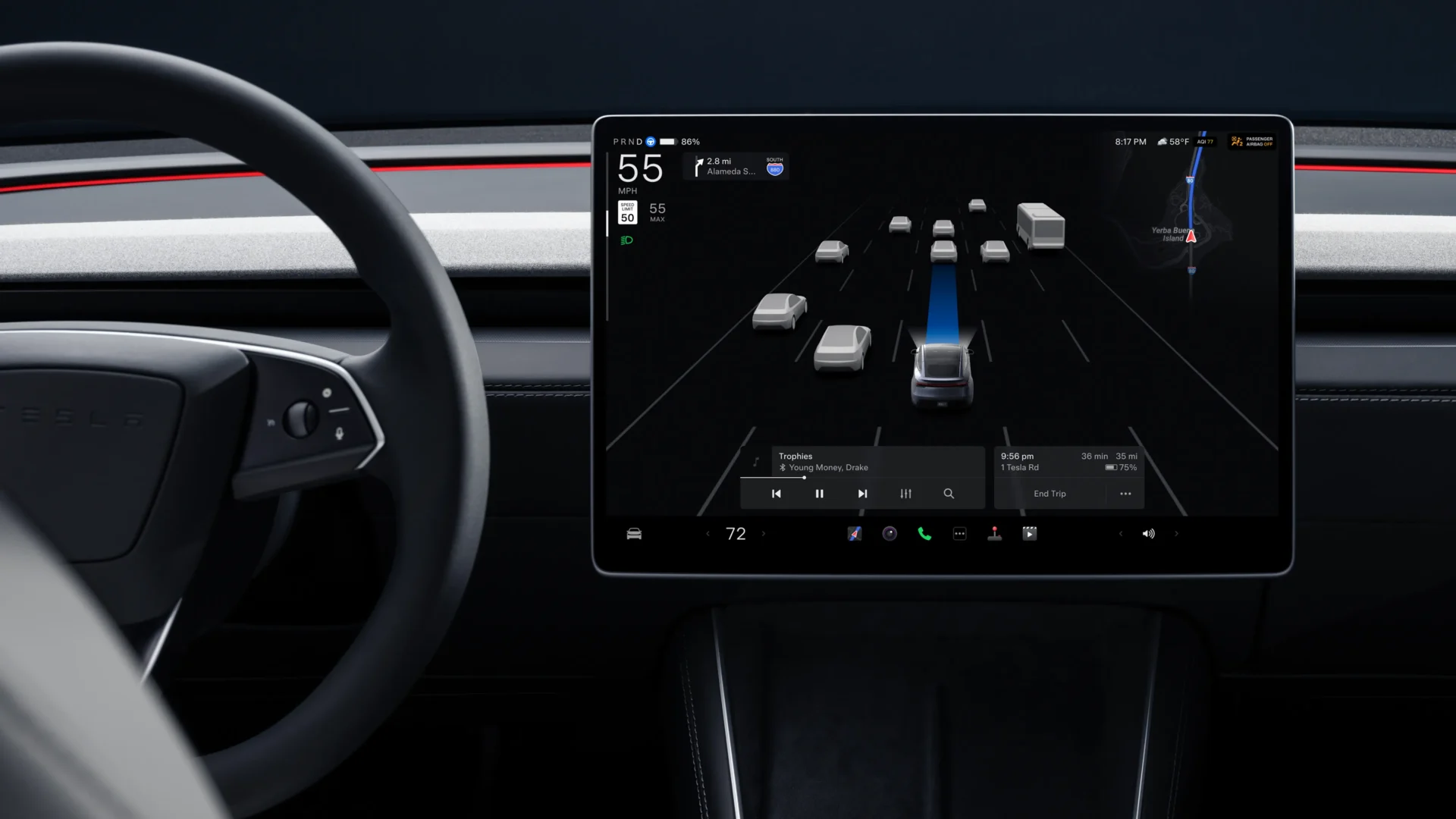

Tesla has begun pushing software version 2026.14.2 to its fleet. The release is expected to carry only bug fixes over its immediate predecessor, 2026.14.1, which itself delivered one of the most feature-rich updates of the year.
For owners still waiting on 2026.14.1, here’s a full breakdown of what the Spring 2026 update brings to Tesla vehicles.
Self-driving app gets a major overhaul
The headline feature of the 2026.14 series is a redesigned Self-Driving App for vehicles equipped with AI4 hardware. Owners can now subscribe, activate, and monitor Full Self-Driving stats all from a single, unified interface.
“Hey Grok” voice assistant integration
Tesla has deeply integrated Grok, xAI’s AI assistant, into the in-car experience. Drivers can now launch Grok hands-free by saying “Hey Grok,” and the assistant supports location-based reminders. For example, saying “remind me to pick up milk when I’m near home.” Say “goodbye” to dismiss it. The feature can be enabled under Grok > Settings.
Pet mode, personalization, and visual upgrades
Pet Mode has been expanded to let owners choose and name their pet via Controls > Display > Customize Pet Mode, adding a personal touch to an already popular feature. Model S and X owners gain new avatar customization options including window tints, custom wraps, and license plates. New Model 3 and Y owners will also notice higher quality vehicle images and an enhanced park scene environment on the center display.
Trips move to the Energy app
Tesla has relocated the Trips feature into the Energy app, allowing owners to create and manage multiple trips to compare energy usage across different routes and driving conditions. Access it via App Launcher > Energy > Trips, or swipe left on the Media Card for quick access.
Blind spot warning accent lights
A notable safety addition, accent lights now turn red when an object is detected in your blind spot while your turn signal is engaged, or when an approaching object is detected while parked. This can be toggled under Controls > Lights > Blind Spot Warning Accent Lights.
Audio, media, and entertainment
Owners of New Model 3 and Y with premium audio get an upgraded Premium Immersive Sound system that uses advanced sound extraction to simulate a detailed soundstage, compatible with all streaming sources. Music app improvements include swipe-to-queue in Apple Music and Spotify, tap-and-hold for Favorites in Apple Music, and swipe-left to Like songs in Spotify.
Automatic software updates
Tesla now allows vehicles to automatically install downloaded updates overnight while parked, ensuring owners always stay on the latest software without manual prompts. Enable it under Controls > Software > Automatically Install Updates.
Dashcam, weather maps, and navigation improvements
The Dashcam Viewer now retains up to 24 hours of recent footage, with clips downloadable to your phone including speed, steering angle, and FSD state data (requires Premium Connectivity and Mobile App 4.55.6+). Weather maps have been improved with clearer precipitation color coding and the ability to view the past hour of weather history along your route. A new Supercharger Pricing Filter lets drivers route exclusively to Superchargers where Tesla controls pricing or accepts Free Supercharging credits.
Rear display maps and keyboard improvements
Rear passengers can now view and interact with live navigation maps on the rear display. On the keyboard front, your selected language now also controls dictation language independently from the voice command language, switchable via the international keyboard button.
Undocumented changes
Early testers have also spotted several undocumented UI tweaks,
- Larger icons on the bottom bar
- An animated badge in the software menu
- An audio source icon displayed next to the volume slider.
We’ve launched an official Tesla Owners Online Forum. Join early and claim your "Founding Fuel" badge.