
Starlink does not give you one tidy coverage map to squint at, and that is by design. Whether you can get service depends on your exact address, because capacity is managed cell by cell and changes over time. There are two places to look, and they answer slightly different questions. This guide explains both, how to read the result, and what to check before you spend any money.
Two ways to check Starlink coverage
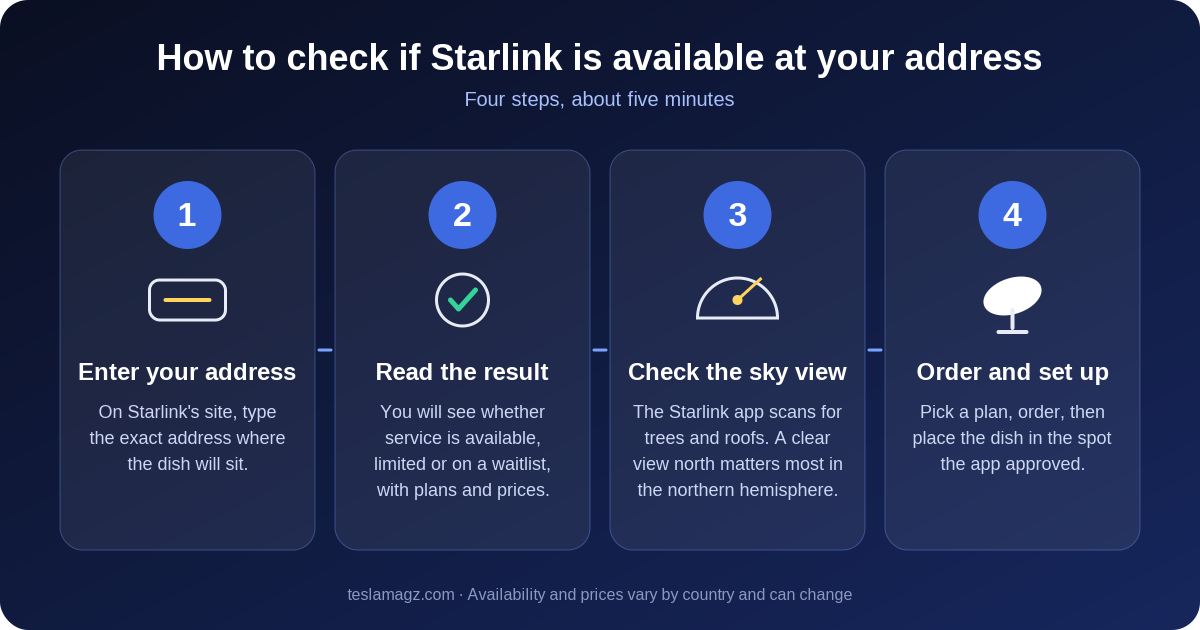
The first is the regional availability map on Starlink’s own website, which shows which countries and areas Starlink serves or plans to serve. It is a good first look when you are travelling or comparing places to live. The second is the address check. You type in the exact address where the dish will sit, and Starlink tells you whether service is available there, what plans you can choose and what they cost. That second answer is the one that counts, because two houses a few streets apart can get different results.
What the result can tell you
Most addresses come back as available, with a choice of plans and a delivery estimate. Some areas show limited availability, which usually means Starlink is managing how many new customers it adds in a busy cell, and you may be asked to join a waitlist or pay a deposit to hold your place. In places Starlink does not serve yet, you will be told so, often with an indication of when it expects to launch. These labels and the rules behind them differ by country and change over time, so treat any screenshot or forum post as a snapshot rather than a promise.
A satellite map is not a coverage map
It is easy to assume that if satellites are overhead, you must be covered. They are not the same thing. Our live Starlink satellite map shows where the satellites physically are, and at any moment thousands of them are above places where Starlink does not sell service yet, or where local capacity is limited. Licensing, ground stations and the number of customers in your area decide coverage, not simply whether a satellite is nearby. The satellite map is brilliant for understanding the network and spotting the newest satellites, but for buying decisions the address check is the authority.
What decides how well it will work
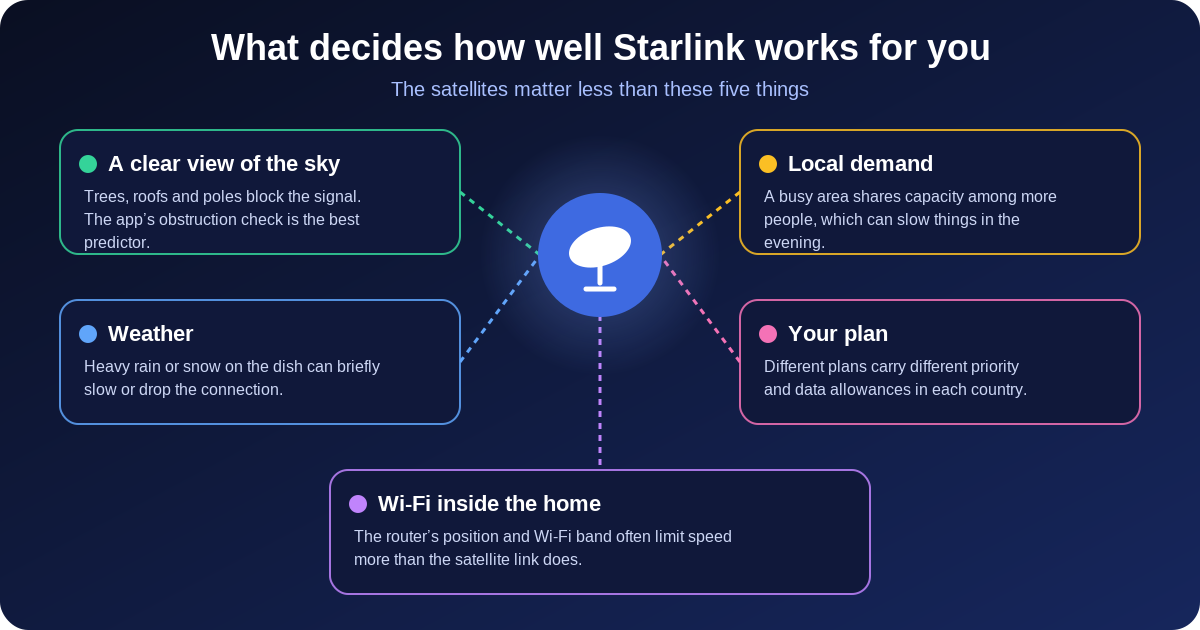
Once service is available, the experience depends less on the satellites than you might think. The biggest factor is how much sky the dish can see. Trees, roofs and chimneys that block part of the view cause short drops, and the Starlink app has an obstruction check that scans your sky with your phone’s camera before you commit to a spot. After that come local demand, which can slow things in the evening in a busy area, the weather, the plan you choose, and the Wi-Fi inside your home. A router in a far corner of the house can cost you more speed than anything happening in orbit.
A short checklist before you order
Walk the property and decide where the dish will go, then use the app to test that spot at several heights if you can. Make sure power can reach it, and think about how the cable will run indoors. If you rent, ask the landlord about mounting. If you plan to move the dish between places, look at a travel-friendly plan rather than a fixed-address one, and check that your country allows it. Compare the current price of the hardware and the monthly plan on Starlink’s order page, because both change, and offers come and go.
If you drive a Tesla, read this next
Starlink does not connect to your car, but many Tesla owners use it for camping, road trips and remote work, where the plan type matters more than the home address. Our guides cover the practical side: using Starlink on a road trip, camping with the Mini and choosing between Mini and Standard.
Questions people ask
Is there an official Starlink coverage map?
Yes. Starlink publishes a regional availability map on its own website, and the address check is the definitive answer for a specific home. This site does not run Starlink’s map. We are an independent site and are not affiliated with Starlink or SpaceX.
Does a satellite overhead mean I have coverage?
No. Satellites pass over places where Starlink is not available, and coverage also depends on local capacity, licensing and nearby ground stations. Always check your exact address.
Can I use Starlink if my address shows as not available?
That depends on the plan and your country’s rules. Some travel-oriented plans work away from your registered address, but service at a place Starlink has not opened is not guaranteed, and speeds can be lower. Check the current terms on Starlink’s site.
How do I check Starlink coverage before buying?
Open Starlink’s order page, enter the address where the dish will sit and read the result. Then use the Starlink app’s obstruction check at that spot to make sure the sky view is clear enough.
Why is Starlink slower in the evening in some areas?
Many people in one cell use it at the same time after work, so the shared capacity is split more ways. It varies by area and plan.
Affiliate disclosure: this article contains an affiliate (referral) link. If you sign up for Starlink through it, we may earn a reward at no extra cost to you. Read our disclosure.
We’ve launched an official Tesla Owners Online Forum. Join early and claim your "Founding Fuel" badge.