Drive a Tesla far enough and you will find the place where your phone gives up: a long stretch of highway, a remote Supercharger, a campsite, a cabin, a trailhead. Starlink is satellite internet built for exactly those places, and plenty of owners now carry one for road trips and off-grid stays. This page explains what it is good for, how to choose a kit, and how our referral link works.
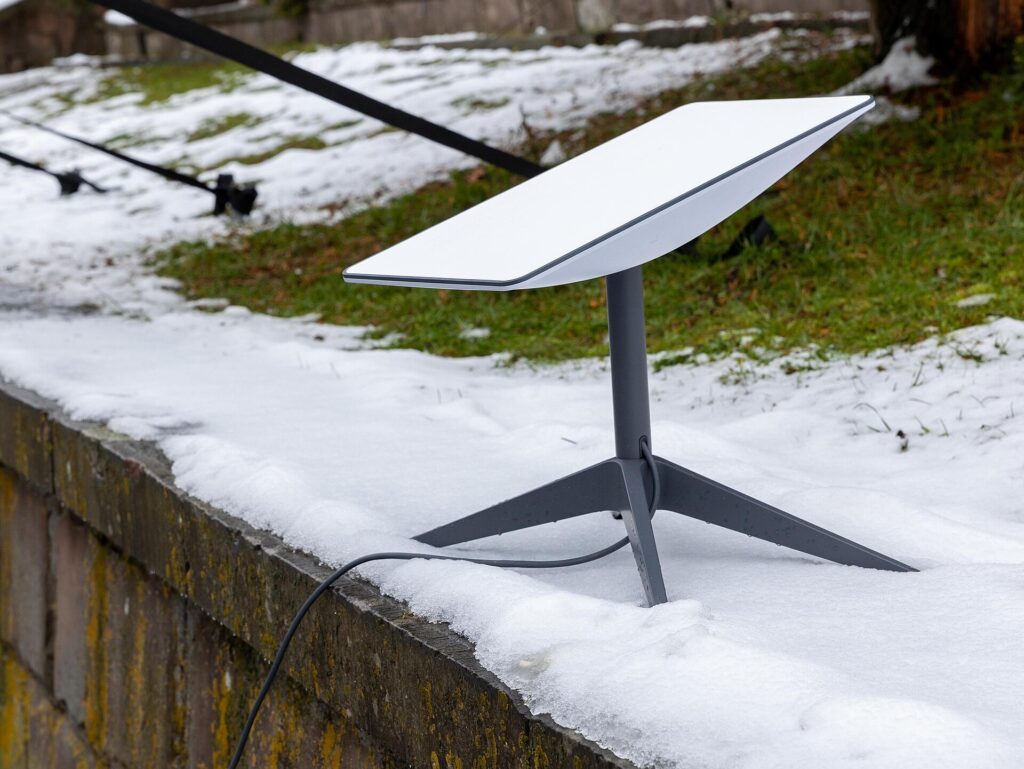
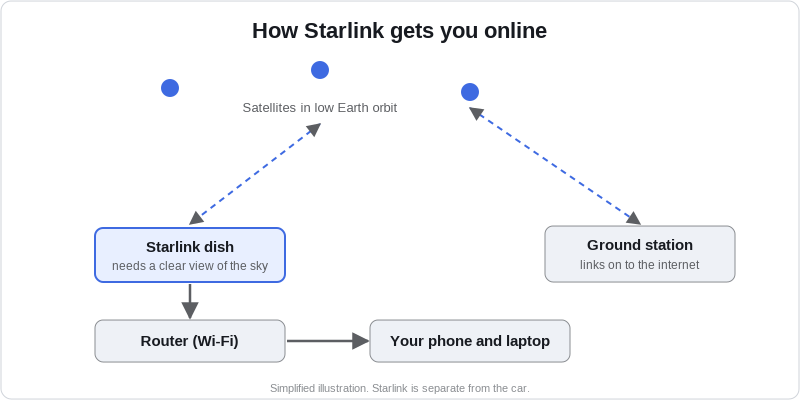
The idea is simple. A small dish sits outside with a view of the sky, talks to satellites overhead, and feeds a router that gives your phone and laptop Wi-Fi. It is separate from your Tesla, so it does not change how the car connects; it just gives your own devices an internet connection wherever you park.
Ordering
The button above takes you straight to Starlink's own site. You choose your kit and plan there, and Starlink shows the final price, along with any offer that applies, before you pay. Everything about hardware, plans and pricing is decided by Starlink, not by us.
Which Starlink is right for you?
Starlink Mini
Best for: Road trips, camping and travel
Compact and made to be carried. Easy to set up at a campsite or Supercharger stop. Low power needs, so a battery bank or car power can be practical.
Starlink Standard
Best for: Home, cabin and longer stays
Larger dish for a fixed spot. Suits a home or cabin where it stays put. Better for heavier use by several people.
Hardware, plans and prices are set by Starlink and change often; check their site for current specs. Referral link
Where Tesla owners put it to work
On a road trip it keeps navigation, streaming and work calls going through the dead zones while the car charges. At a campsite it turns a night in the car into something closer to a home cinema. At a cabin or second home it brings internet to a place cable and fibre never reached, with a Powerwall or the car as a possible source of power. And for anyone who works remotely, it means a quiet spot away from the city without depending on a phone hotspot. We have a guide for each of these, listed further down this page.
A word on power
How you power the kit depends on which one you buy, and Starlink has been updating its compact range, so check the current specifications before you buy any cables or adapters. Some compact kits now include a built-in battery. Whatever you use, it should be rated for the load, and anything in the car must be secured and kept out of the driver's way.
About our link
The links on this page are our Starlink referral link (see our disclosure). If you sign up through them, Starlink applies any referral benefit that is current at the time, under their own terms. Offers and terms vary by region and change often, so always check the details on Starlink's checkout page.
Questions
Does Starlink connect to my Tesla?
No. Starlink is a separate service with its own hardware and account. It gives you internet for your devices, and does not change how the car's own connectivity works.
Can I use it while driving?
That depends on the plan and hardware. Check Starlink's current plans for in-motion use, and never operate devices in a way that distracts the driver.
Is the offer on this page current?
We update it when Starlink changes its offers, but terms can change at any time. The price and conditions shown at Starlink's checkout are the ones that apply.
Do I pay more by using your link?
No. The price you see on Starlink's site is the same.
We’ve launched an official Tesla Owners Online Forum. Join early and claim your "Founding Fuel" badge.