
This article contains an affiliate link. Read our disclosure.
Last reviewed 28 November 2026. Starlink and Tesla change things often, so check their sites for current details.
Camping in a Tesla is one of the quiet pleasures of owning one. Camp Mode keeps the cabin comfortable, the big screen turns into a cinema once it gets dark, and the car doubles as a power station for everything else you have brought. The one thing a remote campsite often cannot offer is a connection.
That matters more than it sounds. A film for the children, a weather check before the weekend turns, a work call you could not move: all of it depends on a signal that, out in the woods, usually is not there. A compact Starlink kit is one answer. Here is how it fits into a Tesla camping trip, from power to placement to being a decent neighbour.
Do you actually need it?
Often you do not. If you camp for a night or two and rather like being offline, leave it at home. The kit earns its place on longer trips, when you are working remotely, when several people need entertaining, or when you are far enough from any town that a way to check the forecast or message family is a safety matter as well as a convenience. Plenty of campers bring one only for the trips that call for it.
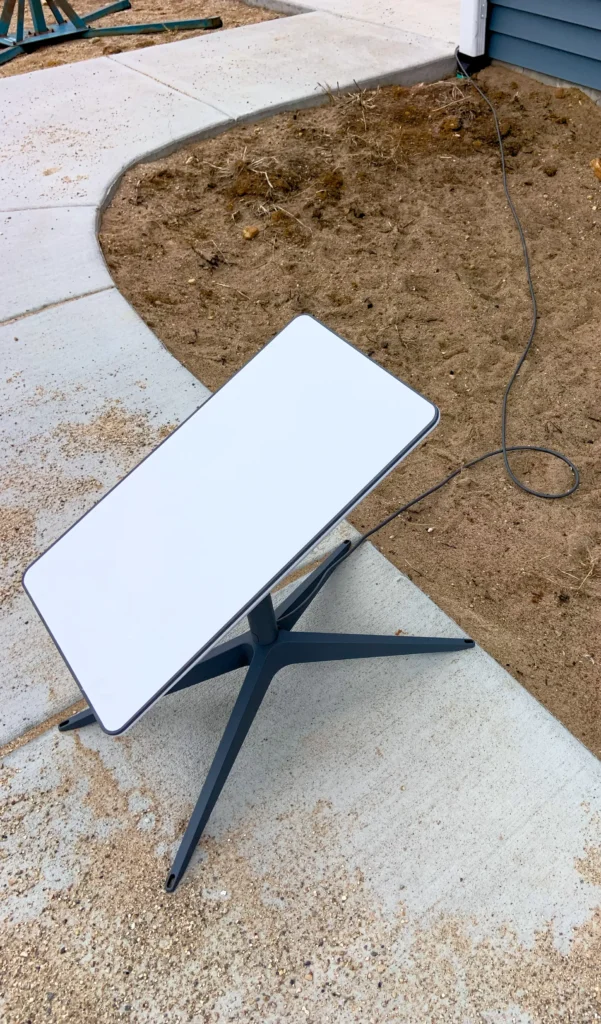
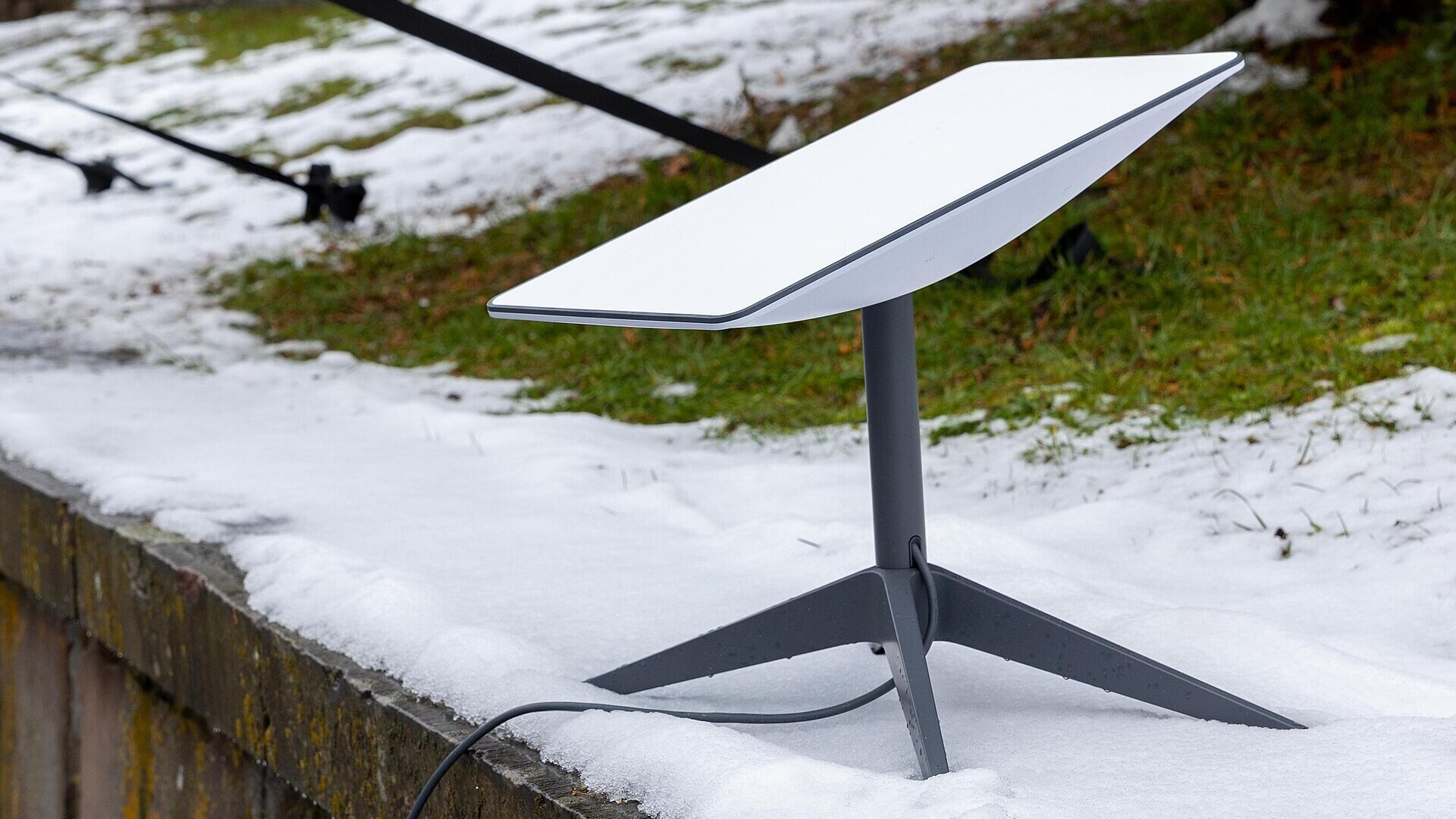
The dish in that photo is a larger, standard-style model. The compact kit is smaller and lighter, which is exactly why it suits camping, but the logic of the setup is the same: outside, angled at the sky, cable back to the power source.
Powering it away from the mains
A compact kit does not ask much compared with heating or cooling a cabin, but exact requirements depend on the hardware, and Starlink has been updating its compact range. Some versions now include a built-in battery, so check what yours has and what power input it takes before you buy anything.
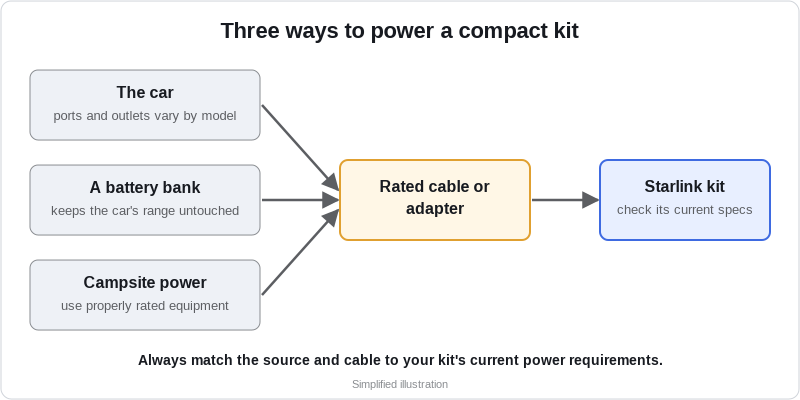
You have three realistic options. Running it from the car is convenient but draws on the traction battery, and what you can plug into depends on your model. A separate battery bank keeps the dish independent, which matters if Camp Mode is already running all night, as long as the bank can supply what the kit needs. And if the campsite has hookups, you can use those, provided the equipment is properly rated and the connections stay dry. Whichever route you choose, use cables and adapters rated for the load from reputable sellers. This is not the moment to improvise.
Camp Mode, and what actually drains the battery
Camp Mode keeps climate control and the screen running while you stay in the car, and that is normally what takes most of the charge overnight. Sentry Mode adds a little more. Starlink sits on top of all that, so watch your level, especially in very hot or very cold weather, and leave enough range to reach the next charger with something in hand.
Choosing the pitch
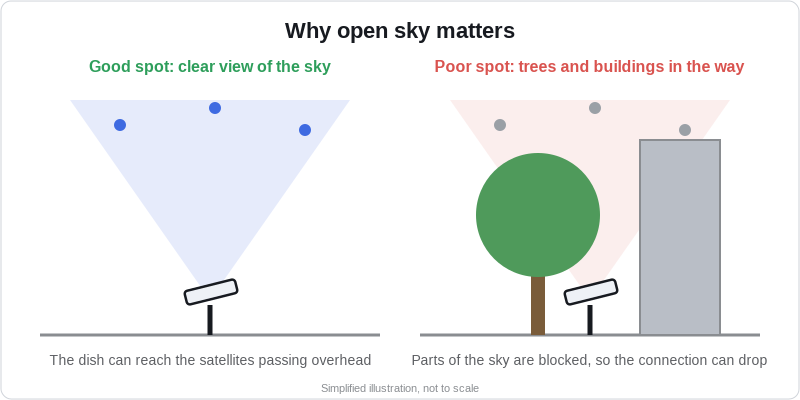
The pitch matters more than any piece of kit. When you arrive, look up before you unpack. Trees, cliffs and the tall motorhome next door all get in the way, and dense woodland is the most common reason campers report a poor connection. The Starlink app can check for obstructions, so use it before you commit.
Set the dish on stable ground or a flat surface where it will not be knocked over and nobody trips on the cable. The compact kit’s Wi-Fi is built for a small area, so sit close to it. And do not leave it unattended where someone could take it, or in weather you would not leave other electronics in.
Weather, safety and good manners
Heavy rain, snow or storms reduce performance, so do not rely on the connection for anything critical. In a thunderstorm, bring the equipment inside and disconnect it. Keep cables and connectors dry, and never run a lead where a door, window or charge port could trap it. Check the site’s rules on electronics and quiet hours, keep screens and speakers at a level the neighbours will not notice, and leave nothing behind when you go: no cables, no stakes.
For packing, the short list is the kit and the cables you have confirmed it needs, a charged battery bank, something flat and stable to stand the dish on, a waterproof bag, your phone’s hotspot as a backup and any offline maps or films you cannot do without.
What it costs
Starlink controls the price of both hardware and plans, and they change, sometimes with promotions, so we do not print numbers that would soon be wrong. The checkout page shows the final figure including any offer, and our Starlink for Tesla owners page gives the wider picture.
Quick answers
Can I run it from the car all night?
If the car’s ports supply what the kit needs, yes, but it will use some battery on top of Camp Mode. Many campers prefer a separate bank.
Will it work in a forest?
Only with a clear view of the sky, so dense tree cover is the thing to avoid.
Do I need a special plan for camping?
Plans differ by region and hardware. Check Starlink’s current options for travel and portable use before you set off.
This is general information, not advice for your specific car or equipment. Check Starlink’s and Tesla’s own documentation before buying or connecting anything.
Discuss this on Tesla Owners Forum →
We’ve launched an official Tesla Owners Online Forum. Join early and claim your "Founding Fuel" badge.