
This article contains an affiliate link. Read our disclosure.
Last reviewed 27 November 2026. Starlink and Tesla change things often, so check their sites for current details.
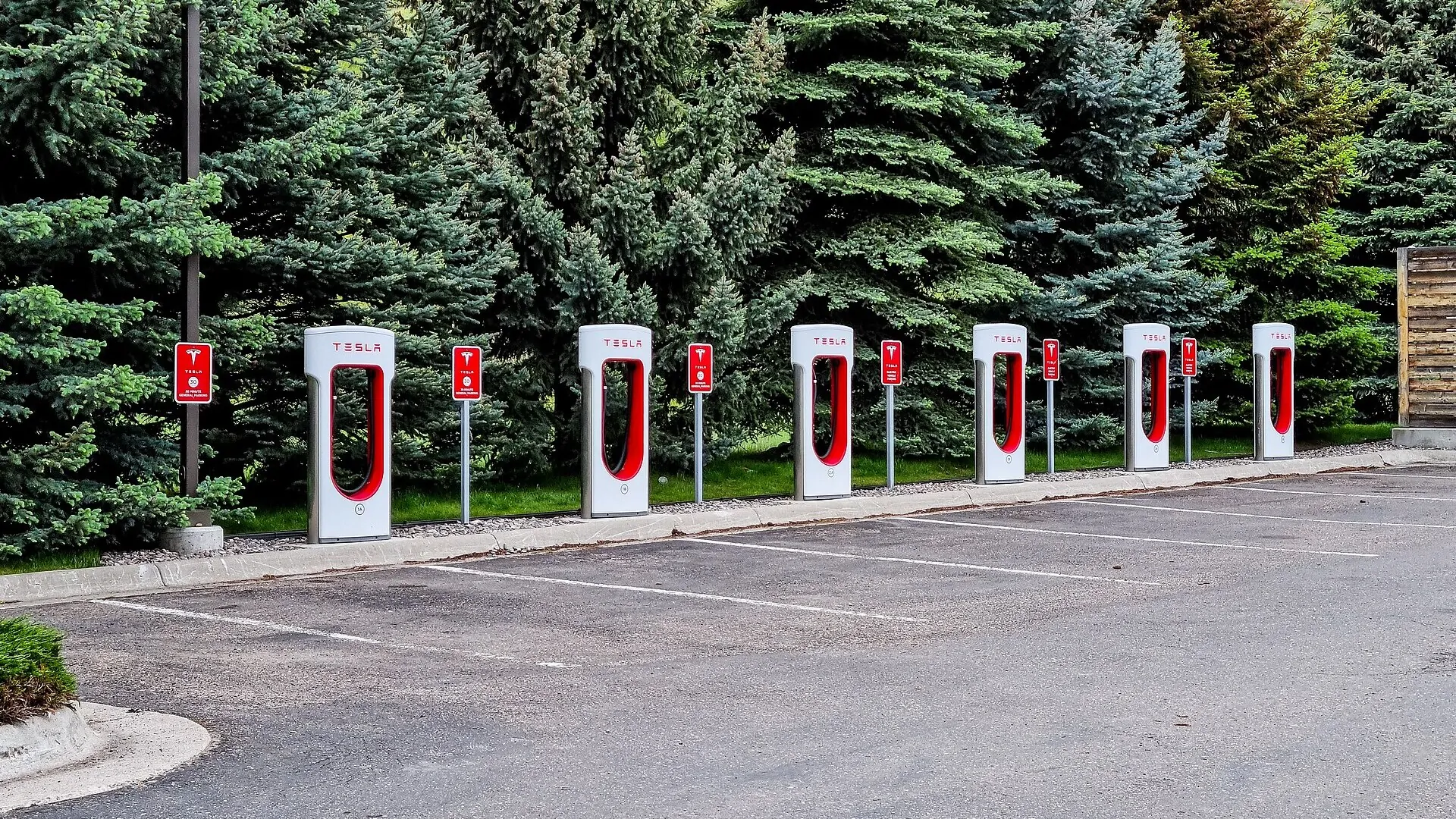
Anyone who has charged a Tesla in the middle of nowhere knows the moment. The car is happily taking on electrons, the navigation has never wavered, and your phone is down to one bar that comes and goes. You meant to answer a few emails, or let the kids stream something for twenty minutes. Instead you are watching a spinner.
That gap is the reason a growing number of road-trippers pack a Starlink kit. It will not shorten a charging stop, and plenty of drivers will never need one. But if your routes regularly cross weak-signal country, it is worth understanding what you would actually be buying and what it asks of you in return.
What Starlink does, and what it doesn’t
The first thing to get straight is that Starlink has nothing to do with the car. It is a separate service with its own hardware and its own account, and it gives your phone, laptop and tablet an internet connection. The Tesla’s own connectivity carries on exactly as before. Think of it as a portable internet source that happens to travel with you.
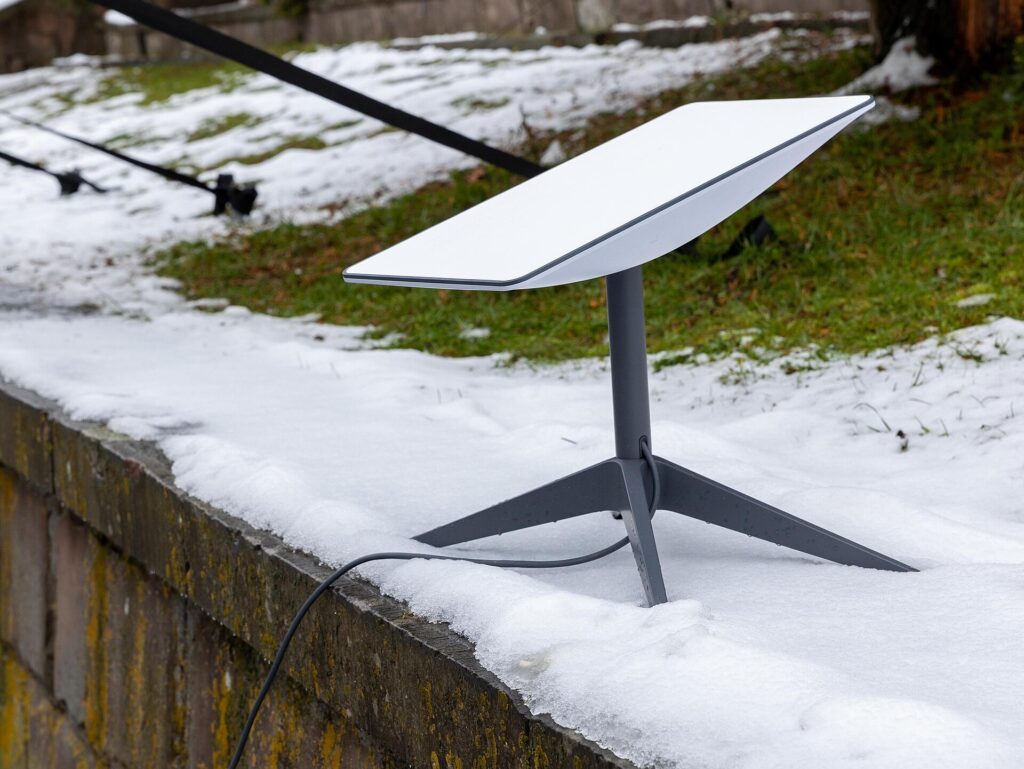
The dish in that photo is a larger, standard-style one. The compact kit is smaller, but the principle is identical: the dish sits outside, tilted at the sky, with a cable running back to a power source and a small router. Everything depends on that dish seeing the sky, which is why this article spends so much time on where you park.
Is it worth it for the way you travel?
Be honest about your routes before you spend anything. If you drive between cities and your phone’s hotspot copes, Starlink would be an expensive extra and you can stop reading. It earns its place when the lost hours are costly: a remote worker who cannot afford a dead afternoon, a family heading into national park country with children who need entertaining, or someone who regularly ends up at a rural charger where the signal simply is not there.
Starlink sells more than one kit, and the right one depends on how you travel. As a rule the compact kit is easier to carry and set up at a stop, while the larger one is meant to stay in a fixed place like a house or cabin. Names, specifications and prices shift often, so we keep a plain-English comparison on our Starlink for Tesla owners page and point you to Starlink’s own site for the current numbers.
Power: check before you buy a single cable
What you can plug in depends on your Tesla’s model and year, since the cars do not all offer the same ports and outlets. It also depends on the kit, whose power requirements Starlink has been revising as it updates its compact range. Some versions now carry a built-in battery, so confirm that for the one you are buying rather than assuming.
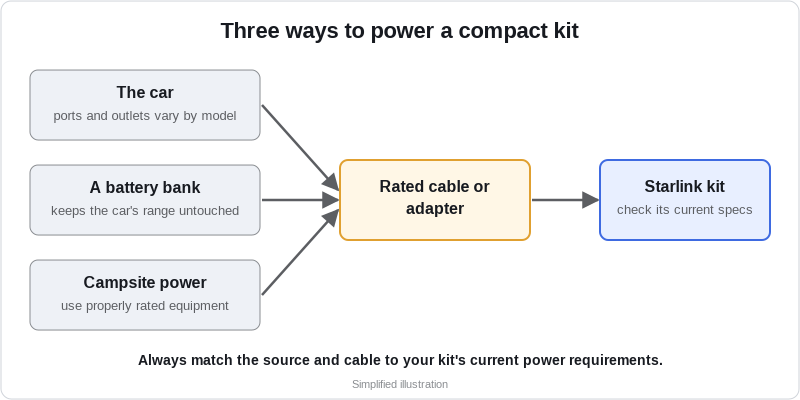
Whatever the source, buy cables and adapters rated for the load from sellers you trust. A cheap adapter is the worst place to save money, because it sits between a lithium battery and an expensive dish. If you will be camping as well as driving, a separate battery bank has a real advantage: the dish stops drawing on the car’s range. Running it from the car is fine for a short stop, where the draw is tiny next to the cabin heater or air conditioning, but it adds up over a long stay.
Setting up at a stop
Choose the spot before you unpack anything. Look up. A clear view of the sky matters more than any other factor, and moving the car a few metres often cures a poor connection. Canopies at charging sites, trees and tall vehicles are the usual culprits, and a multi-storey car park is a non-starter.
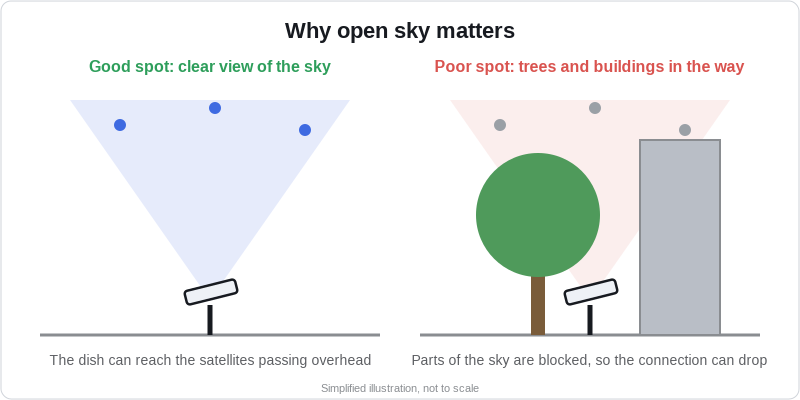
Once the car is parked and secure, put the dish on stable ground or a flat surface where nobody will kick it, and run the cable clear of walkways, charging cables and door gaps. The Starlink app can show how much of the sky is blocked, which is worth checking before you settle in. When you leave, pack it away. Unless your hardware and plan are designed for use in motion, treat the dish as parked-only. Whether a particular plan works while moving is something to confirm on Starlink’s site, and even where it does, anything in the cabin must be secured and the driver should not be using devices.
Habits that save headaches
Test the whole setup at home first, so you are not learning it in a field at dusk. Download maps and entertainment before you leave, because offline copies still beat any connection. Check the view at every stop rather than trusting last night’s spot, and keep your phone’s hotspot as a backup: two different connections are far more dependable than one. Heavy rain and snow can degrade performance, so do not stake anything critical on a storm-time connection. The mistakes we hear about most are buying cables before checking the car’s ports, setting up under a charging canopy and blaming the dish, and leaving the kit plugged in and unattended while everyone goes for dinner.
What it costs
We have deliberately not listed prices. Starlink sets them for both hardware and plans, they change, and promotions come and go, so any figure we printed would be wrong within weeks. The checkout page on Starlink’s site always shows the final number, including any offer that applies.
Quick answers
Can I use it at a Supercharger?
Many sites are in open areas, but be considerate. Do not block bays or walkways, and follow any local rules. A charger is there to charge cars.
Will it drain the battery?
A little while it runs. For a stop of half an hour you will barely notice. Over a multi-day stay, keep an eye on your charge.
Do I need a special plan to travel?
Plans differ by region and hardware, so check Starlink’s current options for travel and in-motion use before you go.
This article is general information, not advice for your specific car or equipment. Check Starlink’s and Tesla’s own documentation before buying or installing anything.
Discuss this on Tesla Owners Forum →
We’ve launched an official Tesla Owners Online Forum. Join early and claim your "Founding Fuel" badge.