All software updates

Tesla 2025.44.25.3.1 Software Update Release Notes

2025.44.25.3.1 2025.44 branch Feature Update
Feature update

2025.44.25.3.1 adds Tesla Photobooth, Dog Mode Live Activity on iOS, Dashcam Viewer Update, Santa Mode Updates, Light Show Update, Paint Shop, Navigation Improvements, Save Charge Limit by Location, SpaceX Docking Simulator, Minor Updates and Phone Left On Wireless Charger.

See everything new below

What is new

New in 2025.44.25.3.1

11 items
Available on
Model YModel 3

Tesla Photobooth

Included in 2025.44.25.3.1

Turn your car into a photobooth! Take selfies from inside your Tesla and give yourself a makeover with fun filters, stickers, and emojis. Share your stylish photos with friends and family right from the Tesla App. Your car must be in Park. Requires Tesla App version 4.51.5+.

Go to App Launcher > Toybox > Photobooth.

Available on
Model YModel 3Model 3 (AI3)

Dog Mode Live Activity on iOS

Included in 2025.44.25.3.1

Keep an eye on your pet! When Dog Mode is active, you’ll see a Live Activity on your iPhone with live updates on temperature and climate conditions. If you have Premium Connectivity, you’ll also get periodic snapshots of your vehicle’s cabin. Requires Tesla App version 4.51.5+.

Available on
Model YModel 3Model 3 (AI3)

Dashcam Viewer Update

Included in 2025.44.25.3.1

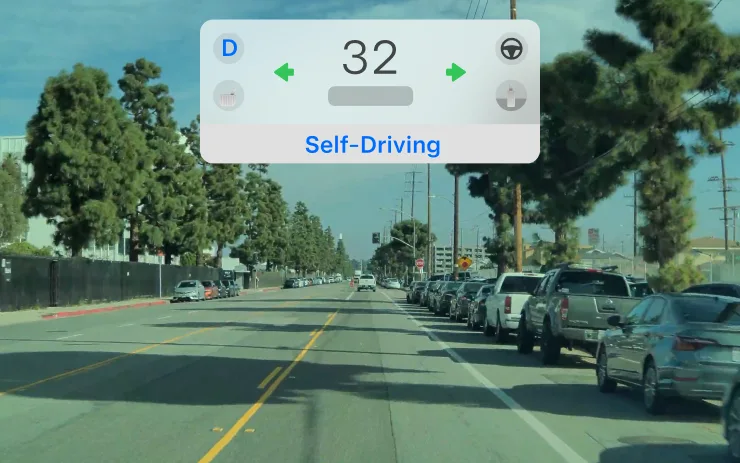
Dashcam clips now include additional details such as speed, steering wheel angle, and self-driving state. This information appears in the Dashcam Viewer during playback on both the vehicle display and the Tesla App. Requires Premium Connectivity and Tesla App version 4.51.5+.

To enable viewing on your phone, go to Controls > Safety and turn on View Camera via Mobile App.

Available on
Model YModel 3Model 3 (AI3)

Santa Mode Updates

Included in 2025.44.25.3.1

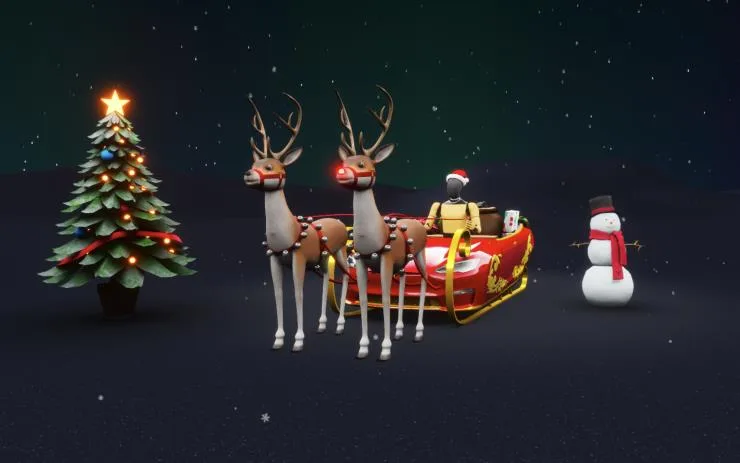
Spread holiday cheer year round and transform your in-car experience with holiday themed effects. Santa Mode now adds festive snowmen, trees, a lock chime, and snow effects for a 3D visual treat.

Go to App Launcher > Toybox > Santa.

Available on
Model YModel 3Model 3 (AI3)

Light Show Update

Included in 2025.44.25.3.1

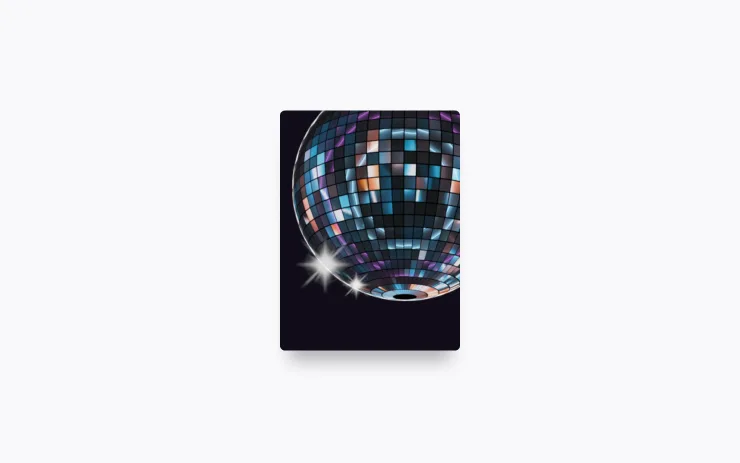
Time to celebrate with the latest Light Show - Jingle Rush. You can play the show instantly or schedule it up to 10 minutes in advance, either on a single vehicle or synced with friends. Light Show enthusiasts can control interior lighting, add display color effects, and create longer custom shows. To play a custom show, save the show files in a "LightShow" folder on your flash drive, connect, and select.

Start the show from your Tesla App or go App Launcher > Toybox > Light Show on your vehicle's touchscreen.

Available on
Model YModel 3Model 3 (AI3)

Paint Shop

Included in 2025.44.25.3.1

Personalize your Tesla avatar with window tints, custom wraps, and license plates. Use one of many preloaded designs or create and upload your own using a USB flash drive to make your vehicle unique.

Go to App Launcher > Toybox > Paint Shop or tap the paint or license plate button in Controls > Software.

Available on
Model YModel 3Model 3 (AI3)

Navigation Improvements

Included in 2025.44.25.3.1

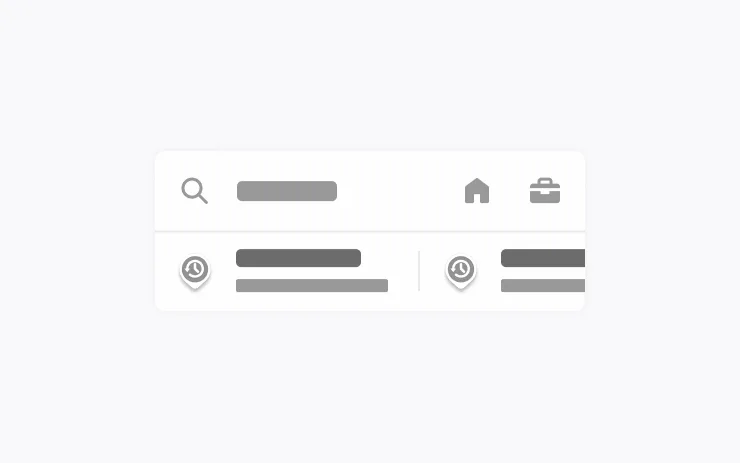
You can now reorder your navigation favorites, set Home or Work by dropping a pin anywhere on the map, and view suggested destinations based on your recent trips and habits.

Available on
Model YModel 3Model 3 (AI3)

Save Charge Limit by Location

Included in 2025.44.25.3.1

You can now save a charge limit for your current location while parked, and it will be applied automatically next time you charge there.

Go to Controls > Charging.

Available on
Model YModel 3

SpaceX Docking Simulator

Included in 2025.44.25.3.1

Become an astronaut and prove your skills by docking with the International Space Station. Control and guide the rocket in this 3D docking simulator game using a set of controls based on actual interfaces used by NASA astronauts.

To play, shift into Park (P), and go to App Launcher > Arcade > SpaceX.

Available on
Model YModel 3Model 3 (AI3)

Minor Updates

Included in 2025.44.25.3.1
  • Apple Music provides an organized playlist view with folders, expanded artist pages and a Recently Played shelf that displays more of your listening history.
  • You can log in to your media using a Tesla app notification for a faster, more seamless experience.
  • You can now choose whether a phone key is required before a driver profile can be selected. Go to Driver Profile Settings > Require Phone Key for Profile.
  • This update includes important security fixes and improvements.
Available on
Model YModel 3

Phone Left On Wireless Charger

Included in 2025.44.25.3.1

Your vehicle will chime a few seconds after the doors close if a phone is left on the wireless charger and no occupants are detected.

Go to Controls > Locks > Phone Left On Wireless Charger Chime.

Also in this build

Everything else included

6 items
Available on
Model YModel 3Model 3 (AI3)

Minor Update

Included in 2025.44
  • You can now choose Exclude Home when Cabin Overheat Protection or No A/C is enabled.
Available on
Model 3Model 3 (AI3)

Dashcam Update

Included in 2025.44

The Dashcam Viewer app has been updated with a grid view, making it easier to access and review recordings.

Available on
Model YModel 3

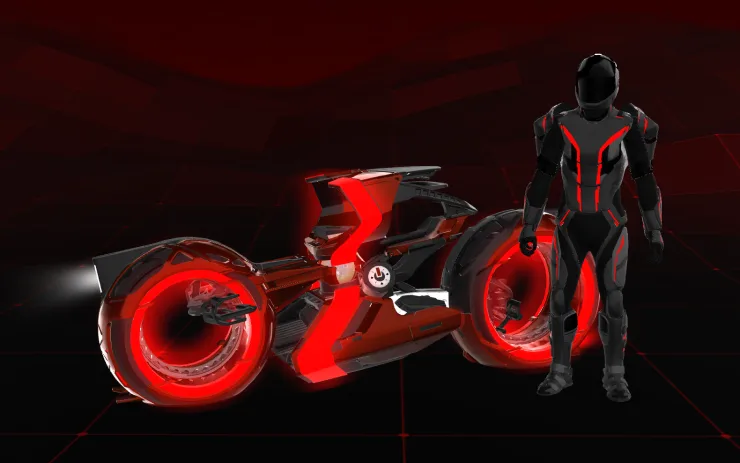
Tron Mode

Included in 2025.38.3.1

Greetings Programs. Transform your vehicle into the Light Cycle.

Go to App Launcher > Toybox > Tron.

Available on
Model YModel 3

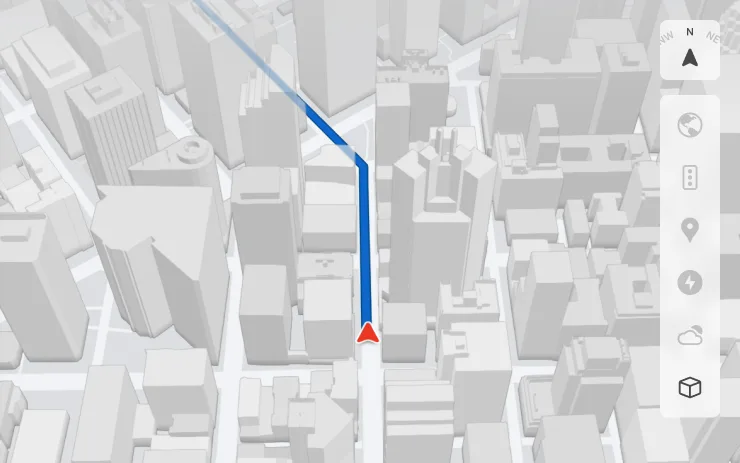
3D Buildings

Included in 2025.38

You can now see buildings and cityscapes in more detail with 3D view. To enable, switch to Map View and tap the 3D icon.

Requires Premium Connectivity.

Available on
Model YModel 3Model 3 (AI3)

Dashcam Viewer Updates

Included in 2025.38

Street names are now included in dashcam event details (when available), making it easier to distinguish between recorded events. In addition, the Mobile Dashcam Viewer now streams and downloads at a higher resolution. Requires Tesla App version 4.49.5+.

Available on
Model YModel 3Model 3 (AI3)

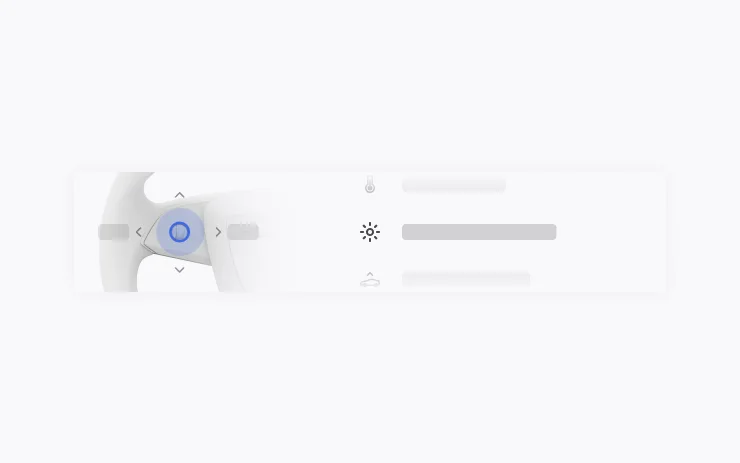
New Scroll Wheel Functions

Included in 2025.38

Your left scroll wheel includes new options for quickly accessing various vehicle controls, such as Bioweapon Defense Mode, Mute Navigation, and Music Light Sync - if available in your vehicle.

Press and hold the left scroll wheel to open the menu.

Data via Teslascope