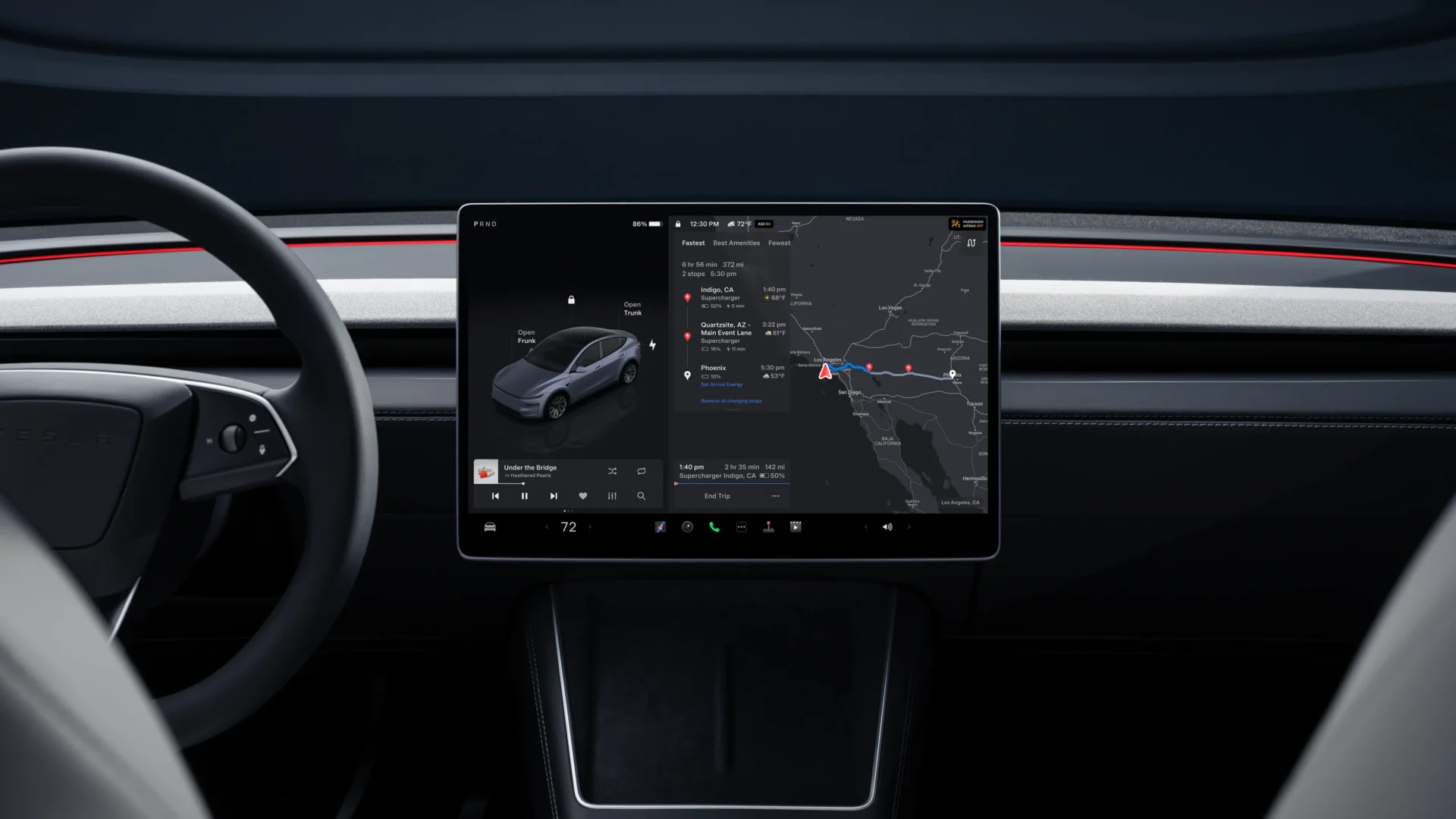

Tesla will add a larger font option to its touchscreen interface, CEO Elon Musk said on Sunday, after an owner posted on X that small on-screen text was keeping an older neighbor from buying a car. Right now the menu gives drivers just two choices, Standard and Large, and that lineup hasn’t changed since software update 2023.12 added it in April 2023.
Musk kept his reply short. “We will add a large font option to the UI,” he wrote on X. He didn’t give a timeline or say how the new option would compare with the existing Large setting, though a third, bigger size is the likely result since Large is already available.
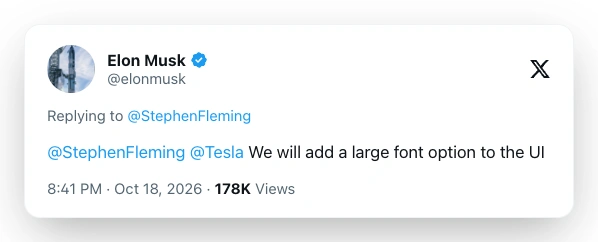
The exchange started with a post from Stephen Fleming, who said he was demonstrating a Tesla with Full Self-Driving (FSD) to an elderly neighbor. He described her as an ideal buyer, someone who is wealthy, lives alone and has stopped driving at night as her vision has declined, and he wrote that FSD would change her life. But there was a catch. Fleming said she would write a check for one that day, except the text on the screen is “too damned small.”
The exchange gets at a group of buyers who could gain the most from FSD, older people who no longer feel safe driving at night. Yet those same buyers are often the ones who struggle most with small type on the screen, and many owners say the Large setting still falls short when the display sits an arm’s length away and their eyes need to get back to the road fast.
Where the setting stands today
Drivers can find the option under Controls > Display > Text Size, with Standard set as the default. When Tesla added Large in update 2023.12, The setting enlarged most text across the interface and not just the menus. That included the lock and trunk labels on the car visualization and the cabin temperature in the app launcher. The new size would slot in above Large as a third choice.
Owners don’t know yet if the new size will cover every piece of on-screen text. Some say the clock, navigation details and pop-up alerts stay small even with Large turned on, and it’s not clear if Tesla plans to change that.
Model coverage is another open question. Possible candidates include the Model 3, Model Y and Cybertruck, along with the Model S and Model X, which Tesla discontinued this year, and older cars that run on Intel-based computers.
Why older drivers want bigger text
For many older drivers, the trouble isn’t poor eyesight overall. It’s presbyopia, an age-related condition in which distance vision stays sharp but close-up focus gets harder. And with the center screen mounted well away from the driver, small type gets tough to read in a quick glance, a problem that only grows at night.
Owners have pushed for larger text for years. On the Tesla Motors Club forum, a 70-year-old owner called it a safety issue and said the existing Large font isn’t big enough. Over on Tesla Owners Online, members asked for a “senior” display mode along with a size that enlarges all text instead of most of it. A few people in that thread said some navigation text, such as the estimated battery charge on arrival, actually got smaller in later updates.
A slow climb to readable screens
Tesla’s readability fixes have come in small steps, and at times the company moved backward first. In December 2020, a holiday software update shrank the speedometer and several other fonts. Owners pushed back quickly at the time, and Elon Musk replied that Tesla would offer multiple display options.
More than two years later, in April 2023, update 2023.12 brought the Text Size setting with its Standard and Large choices. Then came the 2026.26 summer update in August 2026, which raised the default zoom in the car’s web browser so text and images on websites appear larger. Drivers still can’t set that zoom level on their own, however. The change came with side effects too, since sites such as X and YouTube began loading tablet- or mobile-style layouts at the bigger scale.
A third text size in the main interface could run into a similar trade-off. Larger type needs more room, and the screen already has to fit the map and the driving visualization.
What to watch for
Once the feature ships, owners should see it in the same Controls > Display > Text Size menu. Tesla usually tests new features with employees and early-access owners before a wide release, so the first reports will likely come from those groups.
Beyond the new size itself, the bigger question is how far it goes. For years, owners have asked for adjustable contrast, larger map labels and pop-up alerts that stay on screen longer. A size that covers every bit of on-screen text would answer the main complaint, but one that leaves the clock and navigation details untouched probably wouldn’t.
We’ve launched an official Tesla Owners Online Forum. Join early and claim your "Founding Fuel" badge.