All software updates

What you would gain

Updating to 2026.27.200

2024.21 2026.27.200
104 new features 100 releases
Your version
Available on
Model S (Refresh)Model YModel 3Model X (Refresh)

FSD (Supervised)

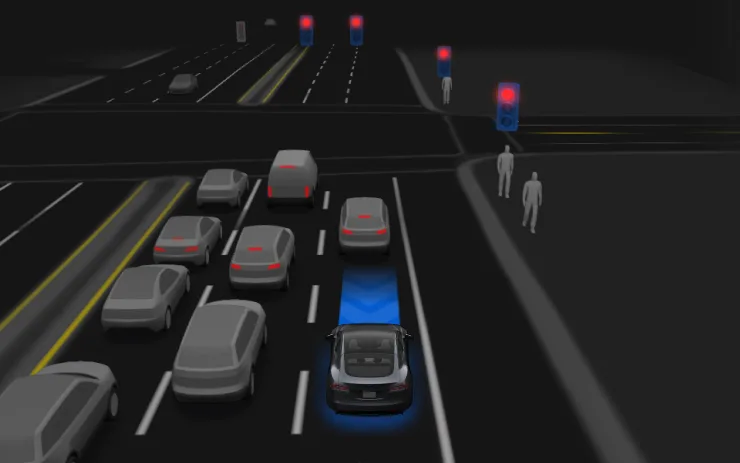
Under your supervision, FSD (Supervised) can drive your Tesla almost anywhere. It will start from a parked position, make lane changes, select forks to follow your navigation route, navigate around other vehicles and objects, make left and right turns and stop at your destination. You and anyone you authorize must use additional caution and remain attentive. It does not make your vehicle autonomous. Do not become complacent.

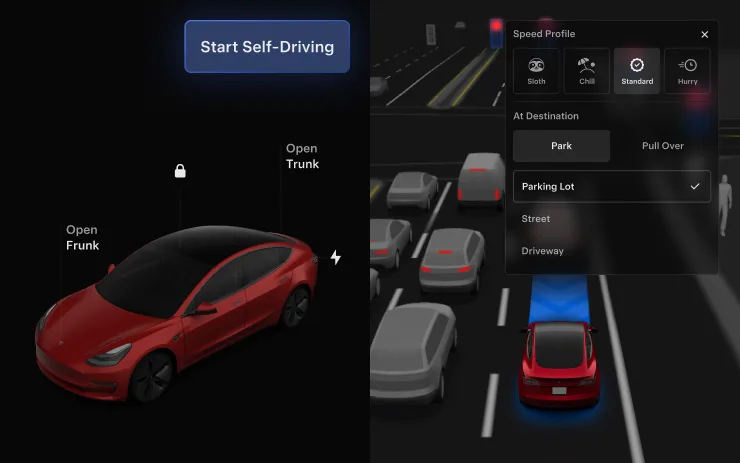
FSD (Supervised) is enabled on your vehicle. To use the feature, first watch the tutorial and take the quiz, available in the new Self-Driving App or in Control > Self-Driving. Then press the Start FSD (Supervised) button on the UI, or press the right scroll wheel button once. You can disable FSD (Supervised) in Self-Driving Settings.

Available on
Model 3

Recall Notice

This software update includes the remedy for EU Recall Submission 2026_103555. It restores compliance with UNECE Regulation No. 135.

After this update installs successfully, you do not need to take any further action for this recall. No service visit is required.

Available on
Model 3

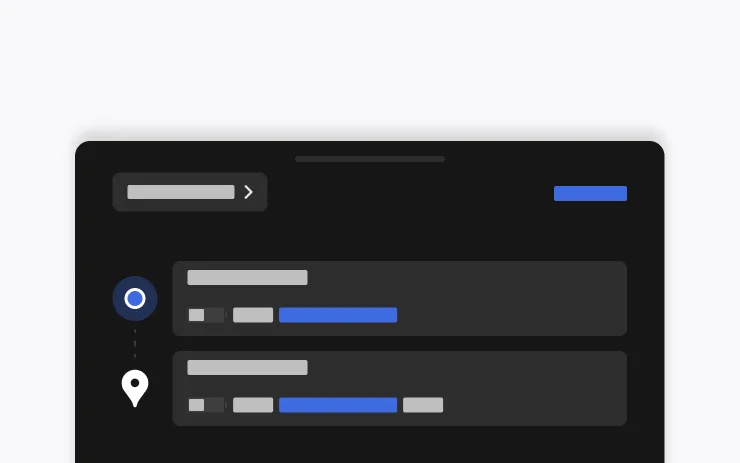
Arrival Options

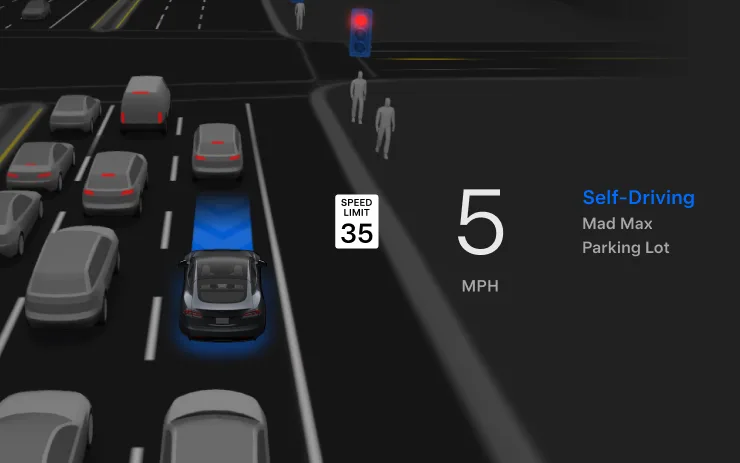
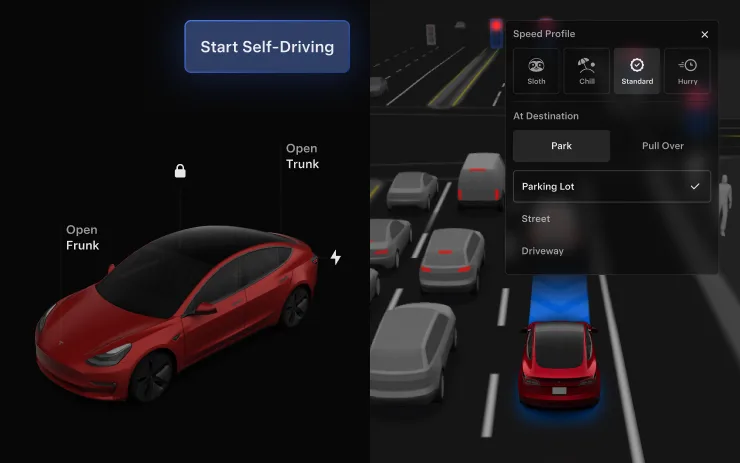
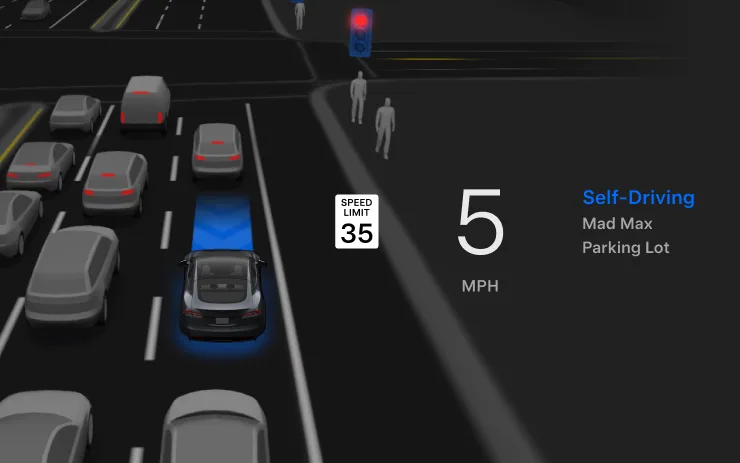
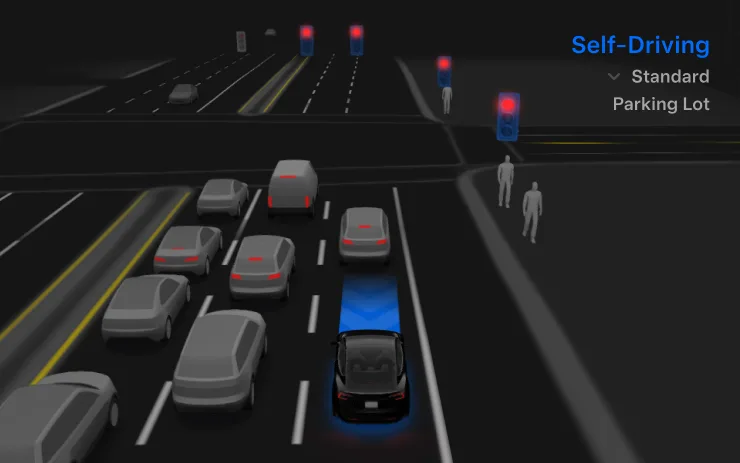
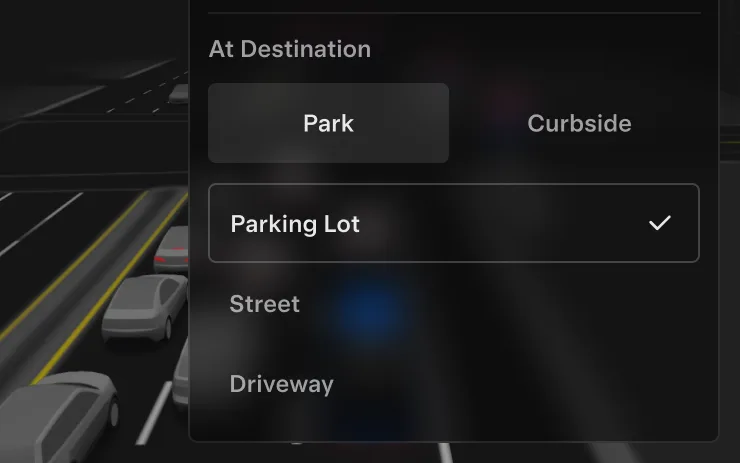
  • You can now select an arrival option such as Parking Lot, Street, Driveway, and Pull Over for Robotaxi-style drop offs.
  • Your preferences for arrival options and preferred parking positions are persisted for each destination.
Available on
Model S (Refresh)Model 3Model YCybertruck

Automatic Collision Evasion

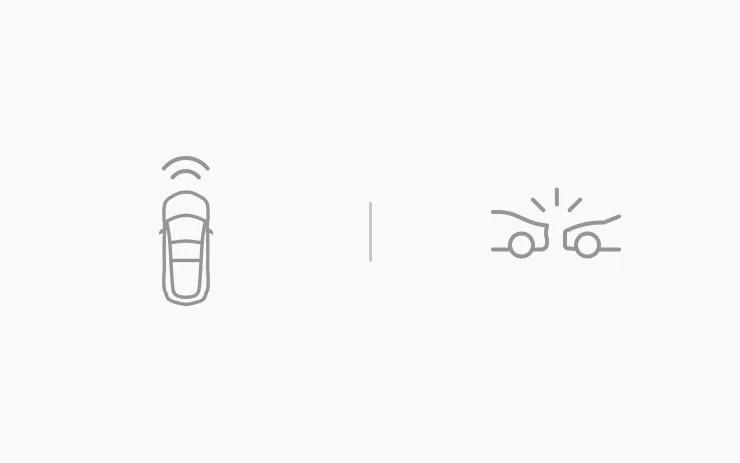
Automatic Collision Evasion activates Full Self-Driving (Supervised) to try to keep your vehicle safe and then continue driving. It can engage while you are driving manually and detects that you are not sufficiently attentive to the road (for example, reaching toward the back seat), and that Full Self-Driving (Supervised) may have been unintentionally disengaged.

See your Owner's Manual for more details.

Available on
Model 3

FSD (Supervised) v14.2 Lite

FSD (Supervised) v14.2 Lite includes:

  • Distilled the intelligence from HW4 V14 into HW3. This allows HW3 to directly learn how to handle scenarios using HW4 V14 as a guide. This process unlocks the improvements that have been made to HW4 including Reinforcement Learning (RL) and offline models for HW3.
  • Improved both proactive and reactive responsiveness across a wide variety of categories including navigation handling, merges and forks, pedestrian interactions, traffic lights, and vehicle cut-in scenarios.
  • Improved general comfort in nominal scenarios through fewer false slowdowns, smoother steering and more consistent lane centering.
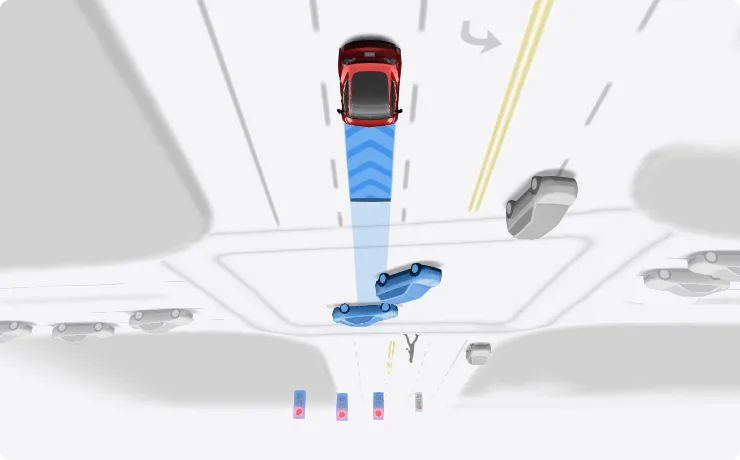
  • Introduced parking, unparking, and reversing capabilities.
  • Added Arrival Options for you to select where FSD should pull over or park: in a Parking Lot, on the Street, in a Driveway.
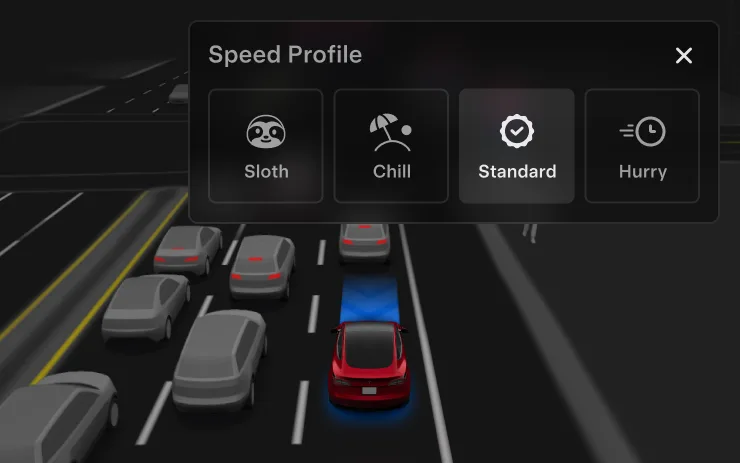
  • Speed Profiles are now available at all times, to further customize driving style preference.
Available on
Model S (Refresh)Model 3Model YCybertruck

FSD (Supervised) v14.3.10

Full Self-Driving (Supervised) v14.3.9 includes:

  • Upgraded the Reinforcement Learning (RL) stage of training the FSD neural network, resulting in improvements in a wide variety of driving scenarios.
  • Upgraded the neural network vision encoder, improving understanding in rare and low-visibility scenarios, strengthening 3D geometry understanding, and expanding traffic sign understanding.
  • Rewrote the AI compiler and runtime from the ground up with MLIR, resulting in 20% faster reaction time and improving model iteration speed.
  • Mitigated unnecessary lane biasing and minor tailgating behaviors.
  • Increased decisiveness of parking spot selection and maneuvering.
  • Improved parking location pin prediction, now shown on a map with a P icon.
  • Enhanced response to emergency vehicles, school buses, right-of-way violators, and other rare vehicles.
  • Improved handling of small animals by focusing RL training on harder examples and adding rewards for better proactive safety.
  • Improved traffic light handling at complex intersections with compound lights, curved roads, and yellow light stopping — driven by training on hard RL examples sourced from the Tesla fleet.
  • Improved handling for rare and unusual objects extending, hanging, or leaning into the vehicle path by sourcing infrequent events from the fleet.
  • Improved handling of temporary system degradations by maintaining control and automatically recovering without driver intervention, reducing unnecessary disengagements.
  • Improved driver monitoring system sensitivity with better eye gaze tracking, eye wear handling, and higher accuracy in variable lighting conditions.
  • Unified the model between Actually Smart Summon, FSD, and Robotaxi for more capable and reliable behavior.
  • Actually Smart Summon max speed is now increased to 8mph (13km/h).
  • Help Tesla improve Self-Driving by selecting an intervention reason on the main screen after taking over.
  • You can now see distance traveled in FSD (Supervised) without an intervention. The Self-Driving App will also show your longest intervention-free streak.
  • Parking options now display on the map when arriving at your destination.

Upcoming Improvements:

  • Expand reasoning to all behaviors beyond destination handling.
  • Add pothole avoidance.
Available on
Model S (Refresh)Model 3Model YCybertruck

Full Self-Driving (Supervised)

Under your supervision, Full Self-Driving (Supervised) can drive your Tesla almost anywhere. It will start from a parked position, make lane changes, select forks to follow your navigation route, navigate around other vehicles and objects, make left and right turns and park at your destination. You and anyone you authorize must use additional caution and remain attentive. It does not make your vehicle autonomous. Do not become complacent.

Full Self-Driving (Supervised) is enabled on your vehicle. To use the feature, press the Start Self-Driving button on the UI, or press the right scroll wheel button once. You can disable Full Self-Driving (Supervised) in Self-Driving Settings.
Available on
Model 3

Speed Profiles

FSD (Supervised) will now determine the appropriate speed based on a mix of driver profile, speed limit, and surrounding traffic.

  • Introduced new Speed Profile SLOTH, which comes with lower speeds & more conservative lane selection than CHILL.
  • Driver profile now has a stronger impact on behavior. The more assertive the profile, the higher the max speed.
  • Right scroll-wheel up/down now adjusts Speed Profile setting rather than your precise max speed offset selection in mph/kph.
Available on
Model 3

Start Self-Driving from Park

A button will appear on the screen when driver requirements are met. Driver requirements include (but are not limited to):

  • Driver is seated in driver's seat
  • Driver is buckled
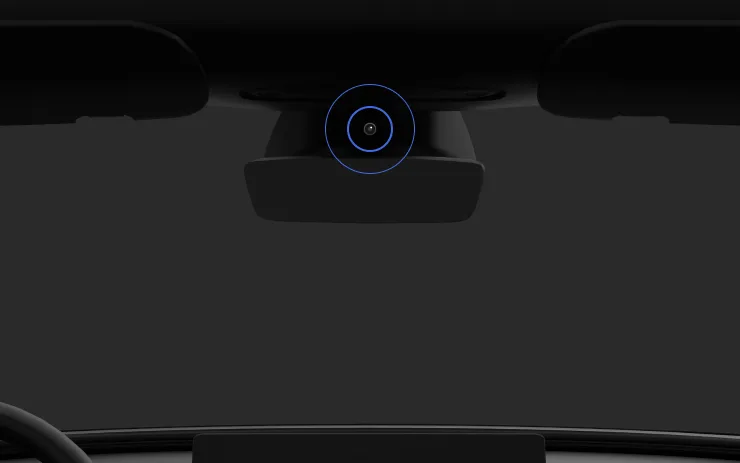
  • Cabin Camera is unobstructed

Brake Confirm requires the driver to press and release the brake pedal before FSD (Supervised) can be activated. When Brake Confirm is disabled, pressing the button will allow Self-Driving to apply the brakes and engage FSD (Supervised). If driver detection requirements are not met or if FSD (Supervised) does not detect a driver, you will be required to press and release the brake pedal to confirm. You can enable Brake Confirm in Self-Driving > Brake Confirm.

This feature does not make your vehicle autonomous and you must remain attentive and be ready to take over at any time. Only a licensed driver authorized to operate the vehicle should be allowed access to the driver's seat position any time the vehicle is not in Theater or Arcade modes.

Available on
Model 3

UI Improvements

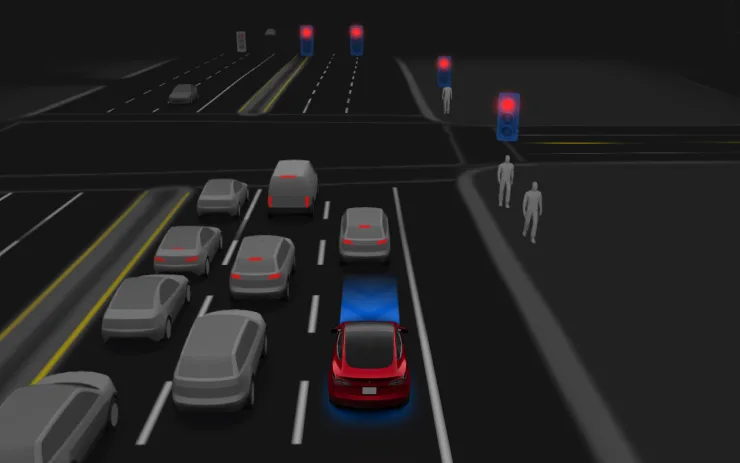
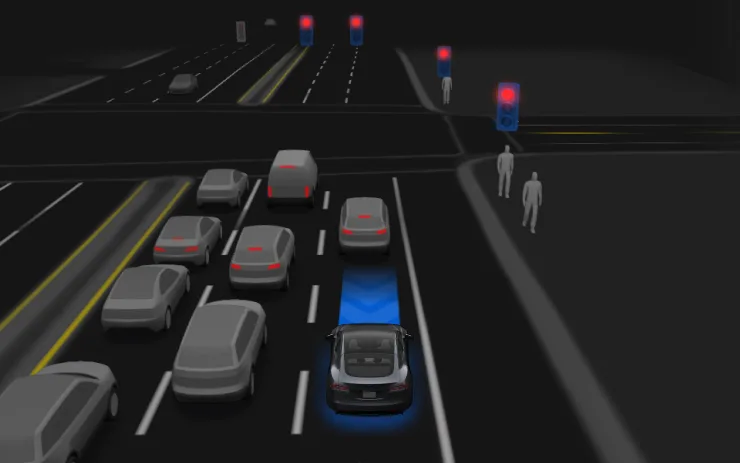
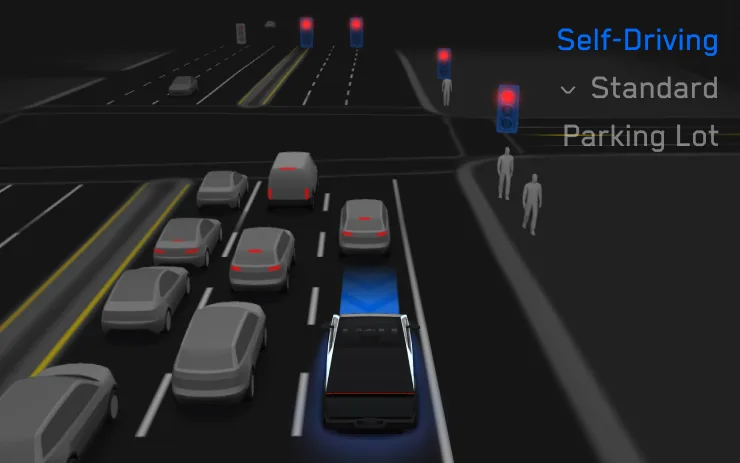
Adjust settings like the Speed Profile and Arrival Options directly from the Self-Driving visualization on the center display.

Available on
Cybertruck

Vehicle-to-Home with Powerwall

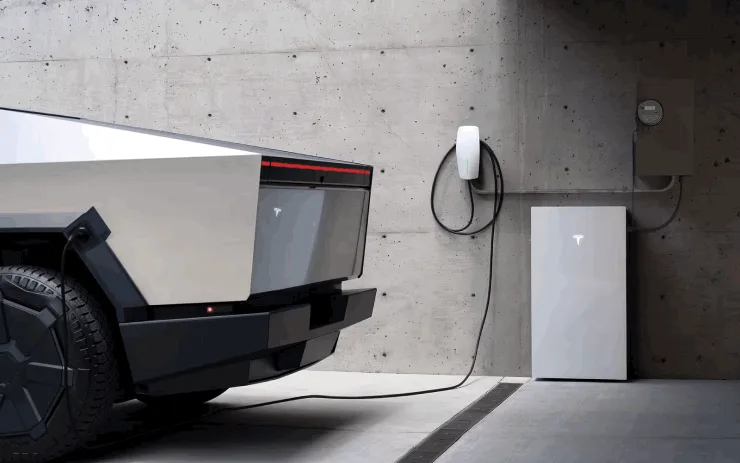
Your Tesla can now extend your home's backup power duration during an outage by sharing its battery with your Powerwall. When plugged in and enabled, your vehicle automatically supplements your home's energy supply when needed.

To enable, go to Charging > Powershare. This feature works when your vehicle is parked and plugged into a compatible Wall Connector with charge above your set discharge limit. Requires a Powerwall.

Available on
CybertruckModel S (Refresh)Model YModel 3Model X (Refresh)

FSD (Supervised) v14.3.9

Full Self-Driving (Supervised) v14.3.9 includes:

  • Upgraded the Reinforcement Learning (RL) stage of training the FSD neural network, resulting in improvements in a wide variety of driving scenarios.
  • Upgraded the neural network vision encoder, improving understanding in rare and low-visibility scenarios, strengthening 3D geometry understanding, and expanding traffic sign understanding.
  • Rewrote the AI compiler and runtime from the ground up with MLIR, resulting in 20% faster reaction time and improving model iteration speed.
  • Mitigated unnecessary lane biasing and minor tailgating behaviors.
  • Increased decisiveness of parking spot selection and maneuvering.
  • Improved parking location pin prediction, now shown on a map with a P icon.
  • Enhanced response to emergency vehicles, school buses, right-of-way violators, and other rare vehicles.
  • Improved handling of small animals by focusing RL training on harder examples and adding rewards for better proactive safety.
  • Improved traffic light handling at complex intersections with compound lights, curved roads, and yellow light stopping — driven by training on hard RL examples sourced from the Tesla fleet.
  • Improved handling for rare and unusual objects extending, hanging, or leaning into the vehicle path by sourcing infrequent events from the fleet.
  • Improved handling of temporary system degradations by maintaining control and automatically recovering without driver intervention, reducing unnecessary disengagements.
  • Improved driver monitoring system sensitivity with better eye gaze tracking, eye wear handling, and higher accuracy in variable lighting conditions.
  • Unified the model between Actually Smart Summon, FSD, and Robotaxi for more capable and reliable behavior.
  • Help Tesla improve Self-Driving by selecting an intervention reason on the main screen after taking over.
  • You can now see distance traveled in FSD (Supervised) without an intervention. The Self-Driving App will also show your longest intervention-free streak.
  • Parking options now display on the map when arriving at your destination.

Upcoming Improvements:

  • Expand reasoning to all behaviors beyond destination handling.
  • Add pothole avoidance.
Available on
Model 3Model Y

FSD (Supervised) v14.1 Lite

FSD (Supervised) v14.1 Lite includes:

  • Distilled the intelligence from HW4 V14 into HW3. This allows HW3 to directly learn how to handle scenarios using HW4 V14 as a guide. This process unlocks the improvements that have been made to HW4 including Reinforcement Learning (RL) and offline models for HW3.
  • Improved both proactive and reactive responsiveness across a wide variety of categories including navigation handling, merges and forks, pedestrian interactions, traffic lights, and vehicle cut-in scenarios.
  • Improved general comfort in nominal scenarios through fewer false slowdowns, smoother steering and more consistent lane centering.
  • Introduced parking, unparking, and reversing capabilities.
  • Added Arrival Options for you to select where FSD should pull over or park: in a Parking Lot, on the Street, in a Driveway.
  • Speed Profiles are now available at all times, to further customize driving style preference.
Available on
CybertruckModel 3Model YModel S (Refresh)Model X (Refresh)

FSD (Supervised) v14.3.8

Full Self-Driving (Supervised) v14.3.8 includes:

  • Upgraded the Reinforcement Learning (RL) stage of training the FSD neural network, resulting in improvements in a wide variety of driving scenarios.
  • Upgraded the neural network vision encoder, improving understanding in rare and low-visibility scenarios, strengthening 3D geometry understanding, and expanding traffic sign understanding.
  • Rewrote the AI compiler and runtime from the ground up with MLIR, resulting in 20% faster reaction time and improving model iteration speed.
  • Mitigated unnecessary lane biasing and minor tailgating behaviors.
  • Increased decisiveness of parking spot selection and maneuvering.
  • Improved parking location pin prediction, now shown on a map with a P icon.
  • Enhanced response to emergency vehicles, school buses, right-of-way violators, and other rare vehicles.
  • Improved handling of small animals by focusing RL training on harder examples and adding rewards for better proactive safety.
  • Improved traffic light handling at complex intersections with compound lights, curved roads, and yellow light stopping — driven by training on hard RL examples sourced from the Tesla fleet.
  • Improved handling for rare and unusual objects extending, hanging, or leaning into the vehicle path by sourcing infrequent events from the fleet.
  • Improved handling of temporary system degradations by maintaining control and automatically recovering without driver intervention, reducing unnecessary disengagements.
  • Improved driver monitoring system sensitivity with better eye gaze tracking, eye wear handling, and higher accuracy in variable lighting conditions.
  • Unified the model between Actually Smart Summon, FSD, and Robotaxi for more capable and reliable behavior.
  • Help Tesla improve Self-Driving by selecting an intervention reason on the main screen after taking over.
  • You can now see distance traveled in FSD (Supervised) without an intervention. The Self-Driving App will also show your longest intervention-free streak.
  • Parking options now display on the map when arriving at your destination.

Upcoming Improvements:

  • Expand reasoning to all behaviors beyond destination handling.
  • Add pothole avoidance.
Available on
Model 3CybertruckModel YModel S (Refresh)Model X (Refresh)

Apple Music

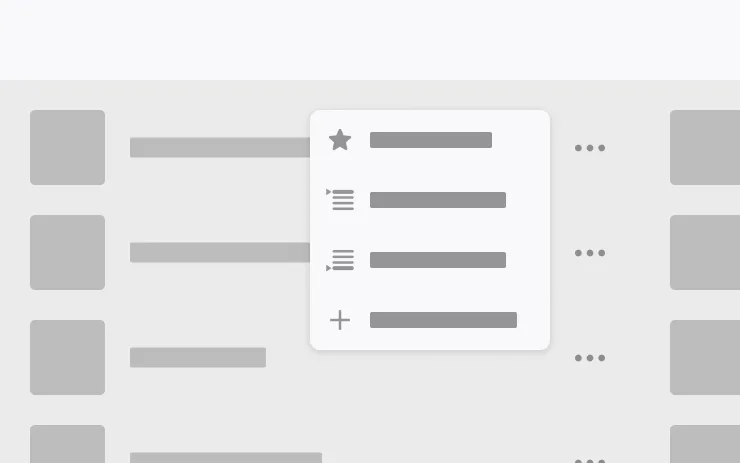
Add songs to your Apple Music queue directly from Search results and Artist pages. Tap and hold a song, or tap the three-dot menu to play next, add to queue, save to your library, or mark as a favorite. Requires an active Apple Music subscription.

Available on
Model 3CybertruckModel YModel S (Refresh)Model X (Refresh)

Automatic Navigation

Automatic Navigation now adapts to your routine. In addition to Home, Work, and upcoming calendar events, your vehicle can now suggest and route to the places you visit regularly, like a school drop-off on the way to work, or the gym on the way home.

To enable, go to Controls > Navigation > Automatic Navigation. Location data is anonymous to Tesla and not associated with your vehicle.

Available on
CybertruckModel 3Model YModel S (Refresh)Model X (Refresh)

Camera Preview

You can now open Camera Preview at any time, even if your Tesla is not in Park.

Go to Controls > Service > Camera Preview and tap on any camera view to see it individually. Tap the grid button to switch back to all cameras.

Available on
CybertruckModel 3Model YModel S (Refresh)Model X (Refresh)

Caraoke with Scoring

Caraoke now scores your singing while in Park. Earn stars and track your high scores in the My Karaoke tab. On the rear display, tap the queue button to show a QR code for passengers to scan and add songs to the queue from their phones. Requires Premium Connectivity.

Available on
Model 3CybertruckModel YModel S (Refresh)Model X (Refresh)

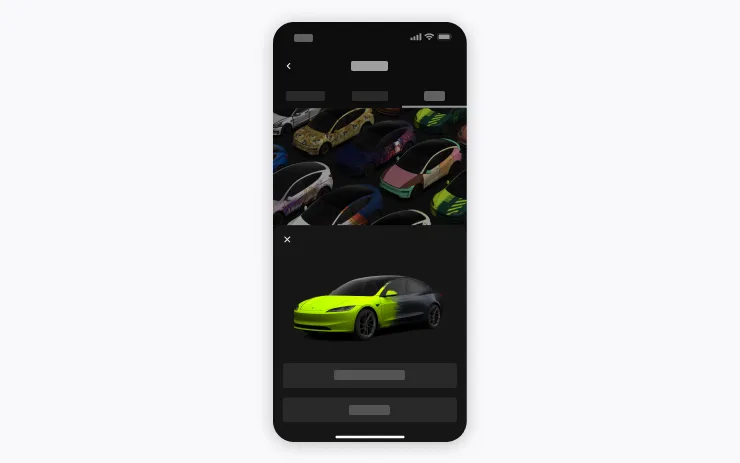
Custom Wraps

Use the Mobile App to upload custom wrap designs from images on your phone and send directly to your Tesla. Go to Creations > Wrap > Upload. Requires Mobile App v4.59.0 or later.

To access in car, go to App Launcher > Toybox > Paint Shop.

Available on
Model 3CybertruckModel YModel S (Refresh)Model X (Refresh)

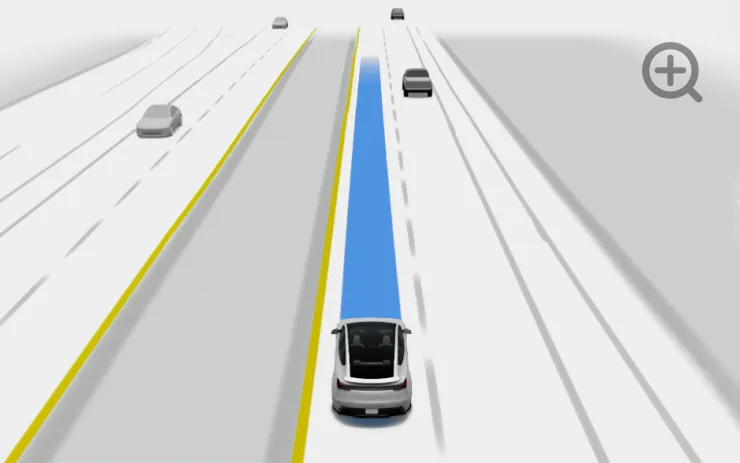
Driving Visualization

Customize your Self-Driving zoom preference. Pinch the visualization or select one of the presets in Controls > Self-Driving > Visualization Camera Zoom.

Available on
Model YModel 3

Estimated Range

Your estimated battery range now incorporates additional characteristics related to battery aging over time.

Available on
CybertruckModel 3Model YModel S (Refresh)Model X (Refresh)

Grok Commands

Grok can now make phone calls, play music, adjust climate, and search the Controls panel. Ask Grok about your Tesla or what was included in the latest software update.

Go to Grok > Settings to enable or disable "Hey Grok" and location-based reminders. Requires Premium Connectivity or a WiFi connection. Conversations are anonymous to Tesla and not associated with your vehicle.

Available on
CybertruckModel 3Model YModel S (Refresh)Model X (Refresh)

Preferred Routes

Navigation now prioritizes routes that you've taken before. Location data is anonymous to Tesla and not associated with your vehicle.

Available on
CybertruckModel 3Model YModel S (Refresh)Model X (Refresh)

Rear Display

Disable rear touchscreen controls from the center display by going to App Launcher > Rear > Lock Rear Display. Content selected from the center display will continue to play in the rear.

Available on
CybertruckModel 3Model YModel S (Refresh)Model X (Refresh)

Self-Driving Stats

You can now view and share Self-Driving stats from your phone. Go to Mobile App > Self-Driving. Requires Mobile App v4.59.0 or later.

Available on
Model 3CybertruckModel YModel S (Refresh)Model X (Refresh)

Set Arrival Energy

Set your desired Arrival Energy for any trip from your phone. Open the location tab in the Tesla Mobile App, enter your destination, and tap Set Arrival Energy. Requires Mobile App v4.58.0 or later.

Available on
Model 3CybertruckModel YModel S (Refresh)Model X (Refresh)

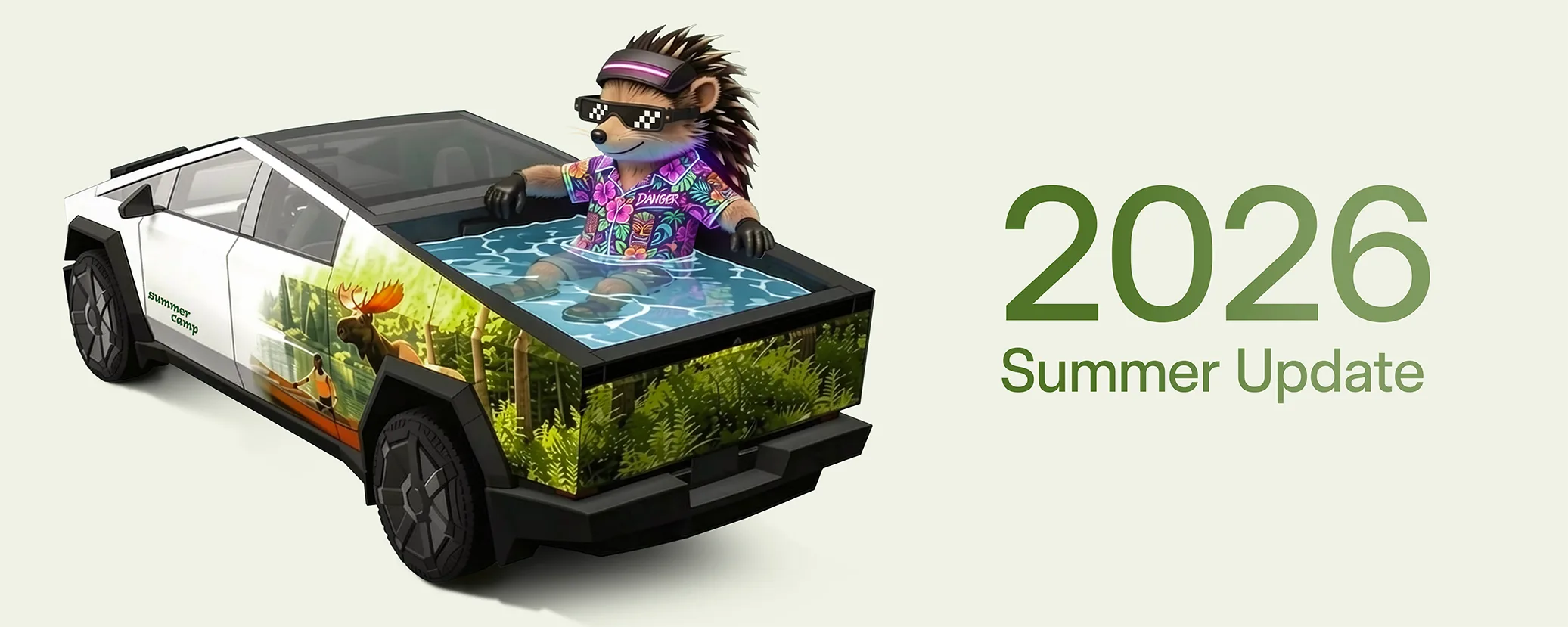
Summer Update

Swipe up to see your new features in the 2026 Summer Update.

Available on
Model 3CybertruckModel YModel S (Refresh)Model X (Refresh)

Supercharger Search

You can now find Superchargers by name when searching for a destination.

Available on
Model 3

Traction Control Modes

Choose from three updated traction control modes: Auto for normal driving conditions, Slippery Surface for icy or wet roads, or Stuck Assist when stuck in snow, mud, or sand. The mode resets to Auto at the start of each drive. To select, go to Controls > Dynamics > Traction Control Mode.

Available on
CybertruckModel 3Model YModel S (Refresh)Model X (Refresh)

Web Browser

You can now use your Tesla's interior camera and cabin microphone in Web Browser. Tap to grant permissions when a website requests access. Camera is only available while parked.

Available on
Model 3Model Y

Welcome Animation

Your Tesla now welcomes you with animations when turning on.

Available on
Model YModel 3

"Hey Grok"

You can now talk to Grok, an intelligent assistant built by xAI. To launch Grok, go to App Launcher > Grok, long-press the voice button on your steering wheel, or say "Hey Grok." Enable "Hey Grok" in Grok > Settings. Say "goodbye" to dismiss.

You can choose Grok's voice and personality, ranging from Storyteller to Unhinged. Set Grok's personality to Assistant to have Grok add and edit navigation destinations, becoming your personal guide. You can also set location based reminders, like "remind me to pick up milk when I'm near home." Enable location based reminders in Grok > Settings.

Requires Premium Connectivity or a WiFi connection. Conversations are anonymous to Tesla and not associated with your vehicle.

Note: Grok is currently in early Beta and does not support voice commands for car controls other than navigation. Existing voice commands remain unchanged. "Hey Grok" is trained on American English.

Available on
Model SModel X

Speed Cameras on Route

Navigation now includes symbols along your route to show speed cameras. Requires Premium Connectivity.

Available on
Model SModel X

Traffic Controls on Route

Navigation now includes symbols along your route to show traffic lights and stop signs. Requires Premium Connectivity.

Actually Smart Summon

Available on
Cybertruck

ASS (Actually Smart Summon) and Dumb Summon are now available for Cybertruck!

Available on
CybertruckModel YModel 3Model S (Refresh)Model X (Refresh)

FSD (Supervised) v14.3.7

Full Self-Driving (Supervised) v14.3.7 includes:

  • Upgraded the Reinforcement Learning (RL) stage of training the FSD neural network, resulting in improvements in a wide variety of driving scenarios.
  • Upgraded the neural network vision encoder, improving understanding in rare and low-visibility scenarios, strengthening 3D geometry understanding, and expanding traffic sign understanding.
  • Rewrote the AI compiler and runtime from the ground up with MLIR, resulting in 20% faster reaction time and improving model iteration speed.
  • Mitigated unnecessary lane biasing and minor tailgating behaviors.
  • Increased decisiveness of parking spot selection and maneuvering.
  • Improved parking location pin prediction, now shown on a map with a P icon.
  • Enhanced response to emergency vehicles, school buses, right-of-way violators, and other rare vehicles.
  • Improved handling of small animals by focusing RL training on harder examples and adding rewards for better proactive safety.
  • Improved traffic light handling at complex intersections with compound lights, curved roads, and yellow light stopping — driven by training on hard RL examples sourced from the Tesla fleet.
  • Improved handling for rare and unusual objects extending, hanging, or leaning into the vehicle path by sourcing infrequent events from the fleet.
  • Improved handling of temporary system degradations by maintaining control and automatically recovering without driver intervention, reducing unnecessary disengagements.
  • Improved driver monitoring system sensitivity with better eye gaze tracking, eye wear handling, and higher accuracy in variable lighting conditions.
  • Unified the model between Actually Smart Summon, FSD, and Robotaxi for more capable and reliable behavior.
  • Help Tesla improve Self-Driving by selecting an intervention reason on the main screen after taking over.
  • You can now see distance traveled in FSD (Supervised) without an intervention. The Self-Driving App will also show your longest intervention-free streak.
  • Parking options now display on the map when arriving at your destination.

Upcoming Improvements:

  • Expand reasoning to all behaviors beyond destination handling.
  • Add pothole avoidance.
Available on
Model 3

Dashcam Clip Encryption

Dashcam clips are now encrypted for privacy when saved to your USB flash drive. Only your vehicle can view them. To decrypt clips, tap the padlock icon in the Dashcam app or visit dashcam.tesla.com. To disable encryption, go to Controls > Safety > Encrypt Dashcam Recordings.

Available on
Model 3

Parental Controls

You can now block Browser, Theater, and Arcade from your Tesla by going to Controls > Safety > Parental Controls while in Park.

Available on
Model 3Model Y

Brake Confirm

Brake Confirm for the Start Self-Driving button is now defaulted off. When disabled, Start Self-Driving will not require you to press and release the brake to confirm engagement.

You can enable Brake Confirm in Self-Driving > Brake Confirm.

Available on
Model 3Model Y

FSD (Supervised) v14.3.5 Down Under

Full Self-Driving (Supervised) v14.3.5 includes:

  • Upgraded the Reinforcement Learning (RL) stage of training the FSD neural network, resulting in improvements in a wide variety of driving scenarios.
  • Upgraded the neural network vision encoder, improving understanding in rare and low-visibility scenarios, strengthening 3D geometry understanding, and expanding traffic sign understanding.
  • Rewrote the AI compiler and runtime from the ground up with MLIR, resulting in 20% faster reaction time and improving model iteration speed.
  • Mitigated unnecessary lane biasing and minor tailgating behaviors.
  • Increased decisiveness of parking spot selection and maneuvering.
  • Improved parking location pin prediction, now shown on a map with a P icon.
  • Enhanced response to emergency vehicles, school buses, right-of-way violators, and other rare vehicles.
  • Improved handling of small animals by focusing RL training on harder examples and adding rewards for better proactive safety.
  • Improved traffic light handling at complex intersections with compound lights, curved roads, and yellow light stopping — driven by training on hard RL examples sourced from the Tesla fleet.
  • Improved handling for rare and unusual objects extending, hanging, or leaning into the vehicle path by sourcing infrequent events from the fleet.
  • Improved handling of temporary system degradations by maintaining control and automatically recovering without driver intervention, reducing unnecessary disengagements.
  • Improved driver monitoring system sensitivity with better eye gaze tracking, eye wear handling, and higher accuracy in variable lighting conditions.
  • Help Tesla improve Self-Driving by selecting an intervention reason on the main screen after taking over.
  • You can now see distance traveled in FSD (Supervised) without an intervention. The Self-Driving App will also show your longest intervention-free streak.
  • Parking options now display on the map when arriving at your destination.

Upcoming Improvements:

  • Expand reasoning to all behaviors beyond destination handling.
  • Add pothole avoidance.
Available on
Model 3Model Y

Full Self-Driving (Supervised) Down Under

Under your supervision, Full Self-Driving (Supervised) Down Under can drive your Tesla almost anywhere. It will make lane changes, select forks to follow your navigation route, navigate around other vehicles and objects, and make left and right turns. You and anyone you authorise must use additional caution and remain attentive. It does not make your vehicle autonomous. Do not become complacent.

Full Self-Driving (Supervised) Down Under is enabled on your vehicle. To use the feature, press the right scroll wheel button once. You can disable Full Self-Driving (Supervised) Down Under in Self-Driving Settings.
Be aware of road conditions or hazards (such as pot holes and speed bumps) and operate the vehicle responsibly under all circumstances.

Available on
Model Y

Second Row Child Safety Seats

Check your Owner's Manual for additional guidance regarding the second row child safety seat installation.

Available on
Model YModel 3

FSD (Supervised) v14 Lite

FSD (Supervised) v14 Lite includes:

  • Distilled the intelligence from HW4 V14 into HW3. This allows HW3 to directly learn how to handle scenarios using HW4 V14 as a guide. This process unlocks the improvements that have been made to HW4 including Reinforcement Learning (RL) and offline models for HW3.
  • Improved both proactive and reactive responsiveness across a wide variety of categories including navigation handling, merges and forks, pedestrian interactions, traffic lights, and vehicle cut-in scenarios.
  • Improved general comfort in nominal scenarios through fewer false slowdowns, smoother steering and more consistent lane centering.
  • Introduced unparking and reversing capabilities.
  • Introduced Speed Profiles to further customize driving style preference.
Available on
Model YModel 3

Points of Interest

You can now tap on points of interest on the map to explore destinations or begin navigation.

Available on
Model YModel 3

Send Destination to Car

You can now send navigation destinations directly to your Tesla. To send from the Mobile App, go to Location > Navigate, add a destination, and tap Send to Car. Requires Mobile App version 4.57.0 or later.

To send from NAVER Maps or TMAP, add a destination and go to Share > Tesla. To send from KakaoMap, add a destination and go to Share > Share Address > Tesla.

Available on
Model YModel 3

Weather Maps

Maps now show weather data, including different types of precipitation like rain and snow. You can also view the past hour of weather data to see how conditions have been changing along your route. This feature requires Premium Connectivity. To view, tap the weather icon on the map.

Available on
CybertruckModel YModel S (Refresh)Model 3Model X (Refresh)

FSD (Supervised) v14.3.6

Added in 2026.20.6.11 North America & Other

Full Self-Driving (Supervised) v14.3.6 includes:

  • Upgraded the Reinforcement Learning (RL) stage of training the FSD neural network, resulting in improvements in a wide variety of driving scenarios.
  • Upgraded the neural network vision encoder, improving understanding in rare and low-visibility scenarios, strengthening 3D geometry understanding, and expanding traffic sign understanding.
  • Rewrote the AI compiler and runtime from the ground up with MLIR, resulting in 20% faster reaction time and improving model iteration speed.
  • Mitigated unnecessary lane biasing and minor tailgating behaviors.
  • Increased decisiveness of parking spot selection and maneuvering.
  • Improved parking location pin prediction, now shown on a map with a P icon.
  • Enhanced response to emergency vehicles, school buses, right-of-way violators, and other rare vehicles.
  • Improved handling of small animals by focusing RL training on harder examples and adding rewards for better proactive safety.
  • Improved traffic light handling at complex intersections with compound lights, curved roads, and yellow light stopping — driven by training on hard RL examples sourced from the Tesla fleet.
  • Improved handling for rare and unusual objects extending, hanging, or leaning into the vehicle path by sourcing infrequent events from the fleet.
  • Improved handling of temporary system degradations by maintaining control and automatically recovering without driver intervention, reducing unnecessary disengagements.
  • Improved driver monitoring system sensitivity with better eye gaze tracking, eye wear handling, and higher accuracy in variable lighting conditions.
  • Unified the model between Actually Smart Summon, FSD, and Robotaxi for more capable and reliable behavior.
  • Help Tesla improve Self-Driving by selecting an intervention reason on the main screen after taking over.
  • You can now see distance traveled in FSD (Supervised) without an intervention. The Self-Driving App will also show your longest intervention-free streak.
  • Parking options now display on the map when arriving at your destination.

Upcoming Improvements:

  • Expand reasoning to all behaviors beyond destination handling.
  • Add pothole avoidance.
Available on
CybertruckModel YModel 3Model S (Refresh)Model X (Refresh)

FSD (Supervised) v14.3.5

Full Self-Driving (Supervised) v14.3.5 includes:

  • Upgraded the Reinforcement Learning (RL) stage of training the FSD neural network, resulting in improvements in a wide variety of driving scenarios.
  • Upgraded the neural network vision encoder, improving understanding in rare and low-visibility scenarios, strengthening 3D geometry understanding, and expanding traffic sign understanding.
  • Rewrote the AI compiler and runtime from the ground up with MLIR, resulting in 20% faster reaction time and improving model iteration speed.
  • Mitigated unnecessary lane biasing and minor tailgating behaviors.
  • Increased decisiveness of parking spot selection and maneuvering.
  • Improved parking location pin prediction, now shown on a map with a P icon.
  • Enhanced response to emergency vehicles, school buses, right-of-way violators, and other rare vehicles.
  • Improved handling of small animals by focusing RL training on harder examples and adding rewards for better proactive safety.
  • Improved traffic light handling at complex intersections with compound lights, curved roads, and yellow light stopping — driven by training on hard RL examples sourced from the Tesla fleet.
  • Improved handling for rare and unusual objects extending, hanging, or leaning into the vehicle path by sourcing infrequent events from the fleet.
  • Improved handling of temporary system degradations by maintaining control and automatically recovering without driver intervention, reducing unnecessary disengagements.
  • Improved driver monitoring system sensitivity with better eye gaze tracking, eye wear handling, and higher accuracy in variable lighting conditions.
  • Unified the model between Actually Smart Summon, FSD, and Robotaxi for more capable and reliable behavior.
  • Help Tesla improve Self-Driving by selecting an intervention reason on the main screen after taking over.
  • You can now see distance traveled in FSD (Supervised) without an intervention. The Self-Driving App will also show your longest intervention-free streak.
  • Parking options now display on the map when arriving at your destination.

Upcoming Improvements:

  • Expand reasoning to all behaviors beyond destination handling.
  • Add pothole avoidance.
Available on
Model 3Model YModel X

Navigation Lane Guidance

Navigation now shows which lanes to take to follow your route. This feature requires Online Routing and Maps version 2026.20 or later. To enable, go to Controls > Navigation > Online Routing.

Available on
Model YModel S (Refresh)Model X (Refresh)

Blind Spot Warning While Parked

If you attempt to open a door while an approaching object is detected in your blind spot (for example, a bicyclist approaching from behind) the blind spot indicator light flashes, a chime sounds, and your door will not open upon initial button press. Wait a short time and press the button a second time to override the warning.

Available on
Model 3Model Y

Autopilot Naming Update

This change only updates the name of certain features and text in your vehicle, and does not change the way your features behave.

  • Navigate on Autopilot has been renamed to Navigate on Autosteer
  • FSD Computer has been renamed to AI Computer.
Available on
Model 3Model Y

FSD (Supervised) v14.3.3 Down Under

Full Self-Driving (Supervised) v14.3.3 includes:

  • Upgraded the Reinforcement Learning (RL) stage of training the FSD neural network, resulting in improvements in a wide variety of driving scenarios.
  • Upgraded the neural network vision encoder, improving understanding in rare and low-visibility scenarios, strengthening 3D geometry understanding, and expanding traffic sign understanding.
  • Rewrote the AI compiler and runtime from the ground up with MLIR, resulting in 20% faster reaction time and improving model iteration speed.
  • Mitigated unnecessary lane biasing and minor tailgating behaviors.
  • Increased decisiveness of parking spot selection and maneuvering.
  • Improved parking location pin prediction, now shown on a map with a P icon.
  • Enhanced response to emergency vehicles, school buses, right-of-way violators, and other rare vehicles.
  • Improved handling of small animals by focusing RL training on harder examples and adding rewards for better proactive safety.
  • Improved traffic light handling at complex intersections with compound lights, curved roads, and yellow light stopping — driven by training on hard RL examples sourced from the Tesla fleet.
  • Improved handling for rare and unusual objects extending, hanging, or leaning into the vehicle path by sourcing infrequent events from the fleet.
  • Improved handling of temporary system degradations by maintaining control and automatically recovering without driver intervention, reducing unnecessary disengagements.
  • Improved driver monitoring system sensitivity with better eye gaze tracking, eye wear handling, and higher accuracy in variable lighting conditions.
  • Help Tesla improve Self-Driving by selecting an intervention reason on the main screen after taking over.
  • You can now see distance traveled in FSD (Supervised) without an intervention. The Self-Driving App will also show your longest intervention-free streak.

Upcoming Improvements:

  • Expand reasoning to all behaviors beyond destination handling.
  • Add pothole avoidance.
Available on
Model X (Refresh)Model S (Refresh)

FSD (Supervised) v14.2.2.5

  • Added Arrival Options for you to select whether FSD should park or stop curbside.
  • Added navigation and routing into the vision-based neural network for real-time handling of blocked roads and detours.
  • Added additional Speed Profile to further customize driving style preference.
  • Improved handling for static and dynamic gates.
  • Improved offsetting for road debris (e.g. tires, tree branches, boxes).
  • Improve handling of several scenarios including: unprotected turns, lane changes, vehicle cut-ins, and school busses.
  • Improved FSD's ability to manage system faults and recover smoothly from degraded operation for enhanced reliability.
  • Added alerting for residue build-up on interior windshield that may impact front camera visibility. If affected, visit Service for cleaning!

Upcoming Improvements:

  • Overall smoothness and sentience
  • Parking spot selection and parking quality
Available on
Model S (Refresh)CybertruckModel YModel 3Model X (Refresh)

FSD (Supervised) v14.3.4

Full Self-Driving (Supervised) v14.3.4 includes:

  • Upgraded the Reinforcement Learning (RL) stage of training the FSD neural network, resulting in improvements in a wide variety of driving scenarios.
  • Upgraded the neural network vision encoder, improving understanding in rare and low-visibility scenarios, strengthening 3D geometry understanding, and expanding traffic sign understanding.
  • Rewrote the AI compiler and runtime from the ground up with MLIR, resulting in 20% faster reaction time and improving model iteration speed.
  • Mitigated unnecessary lane biasing and minor tailgating behaviors.
  • Increased decisiveness of parking spot selection and maneuvering.
  • Improved parking location pin prediction, now shown on a map with a P icon.
  • Enhanced response to emergency vehicles, school buses, right-of-way violators, and other rare vehicles.
  • Improved handling of small animals by focusing RL training on harder examples and adding rewards for better proactive safety.
  • Improved traffic light handling at complex intersections with compound lights, curved roads, and yellow light stopping — driven by training on hard RL examples sourced from the Tesla fleet.
  • Improved handling for rare and unusual objects extending, hanging, or leaning into the vehicle path by sourcing infrequent events from the fleet.
  • Improved handling of temporary system degradations by maintaining control and automatically recovering without driver intervention, reducing unnecessary disengagements.
  • Improved driver monitoring system sensitivity with better eye gaze tracking, eye wear handling, and higher accuracy in variable lighting conditions.
  • Unified the model between Actually Smart Summon, FSD, and Robotaxi for more capable and reliable behavior.
  • Actually Smart Summon max speed is now increased to 8mph (13km/h).
  • Help Tesla improve Self-Driving by selecting an intervention reason on the main screen after taking over.
  • You can now see distance traveled in FSD (Supervised) without an intervention. The Self-Driving App will also show your longest intervention-free streak.
  • Parking options now display on the map when arriving at your destination.

Upcoming Improvements:

  • Expand reasoning to all behaviors beyond destination handling.
  • Add pothole avoidance.
Available on
Model S (Refresh)CybertruckModel YModel 3Model X (Refresh)

FSD (Supervised) v14.3.3

Full Self-Driving (Supervised) v14.3.3 includes:

  • Upgraded the Reinforcement Learning (RL) stage of training the FSD neural network, resulting in improvements in a wide variety of driving scenarios.
  • Upgraded the neural network vision encoder, improving understanding in rare and low-visibility scenarios, strengthening 3D geometry understanding, and expanding traffic sign understanding.
  • Rewrote the AI compiler and runtime from the ground up with MLIR, resulting in 20% faster reaction time and improving model iteration speed.
  • Mitigated unnecessary lane biasing and minor tailgating behaviors.
  • Increased decisiveness of parking spot selection and maneuvering.
  • Improved parking location pin prediction, now shown on a map with a P icon.
  • Enhanced response to emergency vehicles, school buses, right-of-way violators, and other rare vehicles.
  • Improved handling of small animals by focusing RL training on harder examples and adding rewards for better proactive safety.
  • Improved traffic light handling at complex intersections with compound lights, curved roads, and yellow light stopping — driven by training on hard RL examples sourced from the Tesla fleet.
  • Improved handling for rare and unusual objects extending, hanging, or leaning into the vehicle path by sourcing infrequent events from the fleet.
  • Improved handling of temporary system degradations by maintaining control and automatically recovering without driver intervention, reducing unnecessary disengagements.
  • Improved driver monitoring system sensitivity with better eye gaze tracking, eye wear handling, and higher accuracy in variable lighting conditions.
  • Unified the model between Actually Smart Summon, FSD, and Robotaxi for more capable and reliable behavior.
  • Actually Smart Summon max speed is now increased to 8mph (13km/h).
  • Help Tesla improve Self-Driving by selecting an intervention reason on the main screen after taking over.
  • You can now see distance traveled in FSD (Supervised) without an intervention. The Self-Driving App will also show your longest intervention-free streak.

Upcoming Improvements:

  • Expand reasoning to all behaviors beyond destination handling.
  • Add pothole avoidance.
Available on
Model 3

Estimated Toll Fees

Navigation now shows estimated toll fees for each route, including discounted EV rates where available. This feature requires Online Routing. Go to Controls > Navigation > Online Routing to enable.

Automatic Software Updates

Available on
Model X (Refresh)Model YModel 3Model S (Refresh)Cybertruck

Your Tesla can now automatically install downloaded software updates overnight. When enabled, updates will install while your Tesla is parked and not in use, ensuring you always have the latest features and improvements.

To enable, go to Controls > Software > Automatically Install Updates.

Available on
Model 3Model YCybertruck

Blind Spot Warning Accent Lights

Accent lights now turn red when an object is in your blind spot and your turn signal is engaged, or when an approaching object is detected while parked. To disable, go to Controls > Lights > Blind Spot Warning Accent Lights.

Available on
Model Y

Chime When Light Is Green

A chime will play when the traffic light you are waiting for turns green. If you are waiting behind another vehicle, you’ll hear the chime when the vehicle advances, unless Traffic-Aware Cruise Control or Autosteer is on. This chime is only a notification. To enable, go to Controls > Self-Driving > Green Traffic Light Chime.

Dashcam Viewer Updates

Available on
Model X (Refresh)Model YModel 3Model S (Refresh)Model XModel SCybertruck

Recent Dashcam footage can now extend up to 24 hours, and you can save any clip for permanent storage on your Tesla or on your phone by going to App Launcher > Dashcam Viewer. To enable viewing on your phone, go to Controls > Safety and turn on View Camera via Mobile App. Clips stay on the vehicle and are never shared to Tesla.

Clips downloaded to your phone now include details such as speed, steering wheel angle, and Self-Driving state. Downloads require Premium Connectivity and Mobile App version 4.55.6 or later.

Available on
Model 3Model Y

Immersive Sound Upgrade

Premium Immersive Sound uses advanced sound extraction to place the listener in front of a detailed soundstage within an Immersive space. This enhancement works with all streaming sources.

Go to Settings > Audio > Tone > Immersive Sound to adjust.

Keyboard

Available on
Model X (Refresh)Model YModel 3Model S (Refresh)Model XModel SCybertruck

Your selected keyboard language will also select the language used for dictation. Tap the international keyboard button to change keyboard and dictation language, without changing voice command language. Tap the mic icon in the keyboard to dictate.

Available on
Model Y

Live Camera View

You can now check on the interior of your Tesla while you're away. To enable, go to Controls > Safety > View Live Camera via Mobile App. Live Camera is end-to-end encrypted and can't be accessed by Tesla. This feature requires Premium Connectivity and Tesla Mobile App version 4.55.6 or later.

Music App Queuing

Available on
Model X (Refresh)Model YModel 3Model S (Refresh)Model XModel SCybertruck

Swipe right on tracks in Apple Music or Spotify to add them to the queue. In Apple Music, tap and hold on a track to add or remove from Favorites. In Spotify, swipe left to add or remove from Liked Songs.

Paint Shop

Available on
Model X (Refresh)Model S (Refresh)

Personalize your Tesla avatar with window tints, custom wraps, and license plates. Use one of many preloaded designs or create and upload your own using a USB flash drive to make your vehicle unique. Go to App Launcher > Toybox > Paint Shop or tap the paint or license plate button in Controls > Software.

Pet Mode

Available on
Model X (Refresh)Model YModel 3Model S (Refresh)Model XModel SCybertruck

Choose and name your pet by going to Controls > Display > Customize Pet Mode.

Available on
Model X (Refresh)CybertruckModel S (Refresh)

Self-Driving App

With the new Self-Driving app, subscribe with a single tap, learn how to activate and use the feature, and view ongoing stats.

To open, go to App Launcher > Self-Driving.

Sketchpad

Available on
Model X (Refresh)Model YModel 3Model S (Refresh)Cybertruck

Unleash your inner artist with the enhanced Sketchpad, now supporting stickers and emojis. Save your sketches to access them in the Mobile App and share. Requires Mobile App version 4.55.6 or later.

Supercharger Pricing Filter

Available on
Model YModel 3Model S (Refresh)Model SModel XModel X (Refresh)Cybertruck

You can now choose to route only to Superchargers with Tesla pricing. When enabled, Trip Planner will avoid locations where Tesla does not set charging prices or accept Free Supercharging credits. This setting requires connectivity with Online Routing enabled.

To enable, go to Controls > Navigation > Trip Planner settings.

Trips

Available on
Model X (Refresh)Model YModel 3Model S (Refresh)Cybertruck

Trips are now in the Energy app, where you can create and manage multiple trips to track energy usage across different drives, routes, or conditions. Go to App Launcher > Energy > Trips. For quick access to the Trips Card, swipe left on the Media Card.

Available on
Model 3Model Y

Visual Updates

The center display now features higher quality images of your Tesla, and an enhanced park scene environment.

Weather Maps Improvements

Available on
Model X (Refresh)Model YModel 3Model S (Refresh)Cybertruck

Weather maps now show snow and rain with improved colors that make it easier to distinguish between precipitation types. You can also view the past hour of weather data to see how conditions have been changing along your route. This feature requires Premium Connectivity. To view, tap the weather icon on the map.

Available on
Model X (Refresh)Model S (Refresh)Model 3Model Y

Minor Updates

  • Enable or disable wireless phone charging pads in Controls > Charging.
  • Your vehicle will now send a mobile alert if any cabin door is left open while Dog Mode is active.
  • Add Spotify tracks to your queue right from the search screen.
  • Scroll through large Spotify playlists, albums, podcasts, audiobooks, and your library seamlessly, without paging.
  • Lock Sound now includes Light Cycle from Tron Mode. Go to App Launcher > Toybox > Boombox > Lock Sound.
  • Allow your vehicle to share charging data with Tesla to support features like Charge Stats in the Tesla app.
Available on
Cybertruck

Active Road Noise Reduction

Your vehicle now has the ability to actively reduce low-frequency road noise while driving on rough surfaces. To accomplish this, the system uses the seat microphones to measure the noise in the cabin, then generates anti-noise through the speakers to create quiet zones around occupants.

Available on
Model Y

Comfort Braking

Your Tesla now provides a smoother feel as you come to a complete stop during routine braking.

Available on
Model 3Model Y

FSD (Supervised) v13.2.9 Down Under

FSD (Supervised) v13 Down Under upgrades every part of the end-to-end driving network.

Includes:

  • 36 Hz, full-resolution AI4 video inputs
  • Native AI4 inputs and neural network architectures
  • 4.2x data scaling
  • 5x training compute scaling (enabled by the Cortex cluster)
  • Reduced photon-to-control latency by 2x
  • Integrated unpark, reverse, and park capabilities
  • Improved reward predictions for collision avoidance
  • Improved camera cleaning
  • Redesigned controller for smoother, more accurate tracking
  • Dynamic routing around road closures, which displays them along an affected route when they are detected by the fleet

Upcoming Improvements:

  • 3x model size scaling
  • 3x model context length scaling
  • Audio inputs for better handling of emergency vehicles
  • Improved reward predictions for navigation
  • Improvements to false braking and slower driving in parking lots
  • Support for destination options including pulling over, parking in a spot, driveway, or garage
  • Efficient representation of maps and navigation inputs
  • Improved handling of camera occlusions
Available on
Model 3Model Y

Vision-Based Attention Monitoring

When Full Self-Driving (Supervised) is enabled, the driver monitoring system primarily relies on the cabin camera to determine driver attentiveness. Cabin camera must have clear visibility (e.g., camera is not occluded, eyes, arms, are visible, there is sufficient cabin illumination, and the driver is looking forward at the road without sunglasses, or other objects covering their eyes). In other circumstances, the driver monitoring system will primarily rely on torque-based (steering wheel) monitoring to detect driver attentiveness.

If the cabin camera detects inattentiveness, a warning will appear. The warning can be dismissed by the driver immediately reverting their attention back to the road ahead. Warnings will escalate depending on the nature and frequency of detected inattentiveness, with continuous inattention leading to a Strikeout.

Available on
CybertruckModel S (Refresh)Model 3Model YModel X (Refresh)

FSD (Supervised) v14.3.2

Full Self-Driving (Supervised) v14.3.2 includes:

  • Upgraded the Reinforcement Learning (RL) stage of training the FSD neural network, resulting in improvements in a wide variety of driving scenarios.
  • Upgraded the neural network vision encoder, improving understanding in rare and low-visibility scenarios, strengthening 3D geometry understanding, and expanding traffic sign understanding.
  • Rewrote the AI compiler and runtime from the ground up with MLIR, resulting in 20% faster reaction time and improving model iteration speed.
  • Mitigated unnecessary lane biasing and minor tailgating behaviors.
  • Increased decisiveness of parking spot selection and maneuvering.
  • Improved parking location pin prediction, now shown on a map with a P icon.
  • Enhanced response to emergency vehicles, school buses, right-of-way violators, and other rare vehicles.
  • Improved handling of small animals by focusing RL training on harder examples and adding rewards for better proactive safety.
  • Improved traffic light handling at complex intersections with compound lights, curved roads, and yellow light stopping — driven by training on hard RL examples sourced from the Tesla fleet.
  • Improved handling for rare and unusual objects extending, hanging, or leaning into the vehicle path by sourcing infrequent events from the fleet.
  • Improved handling of temporary system degradations by maintaining control and automatically recovering without driver intervention, reducing unnecessary disengagements.
  • Unified the model between Actually Smart Summon, FSD, and Robotaxi for more capable and reliable behavior.
  • Help Tesla improve Self-Driving by selecting an intervention reason on the main screen after taking over.

Upcoming Improvements:

  • Expand reasoning to all behaviors beyond destination handling.
  • Add pothole avoidance.
  • Improve driver monitoring system sensitivity with better eye gaze tracking, eye wear handling, and higher accuracy in variable lighting conditions.
Available on
CybertruckModel YModel S (Refresh)Model 3

FSD (Supervised) v14.3.1

Full Self-Driving (Supervised) v14.3.1 includes:

  • Upgraded the Reinforcement Learning (RL) stage of training the FSD neural network, resulting in improvements in a wide variety of driving scenarios.
  • Upgraded the neural network vision encoder, improving understanding in rare and low-visibility scenarios, strengthening 3D geometry understanding, and expanding traffic sign understanding.
  • Rewrote the AI compiler and runtime from the ground up with MLIR, resulting in 20% faster reaction time and improving model iteration speed.
  • Mitigated unnecessary lane biasing and minor tailgating behaviors.
  • Increased decisiveness of parking spot selection and maneuvering.
  • Improved parking location pin prediction, now shown on a map with a P icon.
  • Enhanced response to emergency vehicles, school buses, right-of-way violators, and other rare vehicles.
  • Improved handling of small animals by focusing RL training on harder examples and adding rewards for better proactive safety.
  • Improved traffic light handling at complex intersections with compound lights, curved roads, and yellow light stopping — driven by training on hard RL examples sourced from the Tesla fleet.
  • Improved handling for rare and unusual objects extending, hanging, or leaning into the vehicle path by sourcing infrequent events from the fleet.
  • Improved handling of temporary system degradations by maintaining control and automatically recovering without driver intervention, reducing unnecessary disengagements.

Upcoming Improvements:

  • Expand reasoning to all behaviors beyond destination handling.
  • Add pothole avoidance.
  • Improve driver monitoring system sensitivity with better eye gaze tracking, eye wear handling, and higher accuracy in variable lighting conditions.
Available on
Model YCybertruckModel 3

FSD (Supervised) v14.3

Full Self-Driving (Supervised) v14.3 includes:

  • Upgraded the Reinforcement Learning (RL) stage of training the FSD neural network, resulting in improvements in a wide variety of driving scenarios.
  • Upgraded the neural network vision encoder, improving understanding in rare and low-visibility scenarios, strengthening 3D geometry understanding, and expanding traffic sign understanding.
  • Rewrote the AI compiler and runtime from the ground up with MLIR, resulting in 20% faster reaction time and improving model iteration speed.
  • Mitigated unnecessary lane biasing and minor tailgating behaviors.
  • Increased decisiveness of parking spot selection and maneuvering.
  • Improved parking location pin prediction, now shown on a map with a P icon.
  • Enhanced response to emergency vehicles, school buses, right-of-way violators, and other rare vehicles.
  • Improved handling of small animals by focusing RL training on harder examples and adding rewards for better proactive safety.
  • Improved traffic light handling at complex intersections with compound lights, curved roads, and yellow light stopping — driven by training on hard RL examples sourced from the Tesla fleet.
  • Improved handling for rare and unusual objects extending, hanging, or leaning into the vehicle path by sourcing infrequent events from the fleet.
  • Improved handling of temporary system degradations by maintaining control and automatically recovering without driver intervention, reducing unnecessary disengagements.

Upcoming Improvements:

  • Expand reasoning to all behaviors beyond destination handling.
  • Add pothole avoidance.
  • Improve driver monitoring system sensitivity with better eye gaze tracking, eye wear handling, and higher accuracy in variable lighting conditions.
Available on
Model 3Model YCybertruckModel S (Refresh)Model X (Refresh)

Grok with Navigation Commands (Beta)

You can now talk to Grok, an intelligent assistant built by xAI. You can choose Grok's voice and personality, ranging from Storyteller to Unhinged.

Grok can add and edit navigation destinations, becoming your personal guide. You can ask Grok to navigate to the best Thai restaurant near you, find a Supercharger within walking distance of a coffee shop, or even plan a romantic sightseeing tour. Requires Premium Connectivity or a WiFi connection. Conversations are anonymous to Tesla and not associated with your vehicle.

To launch Grok, go to App Launcher > Grok, or long-press the voice button on your steering wheel after you have logged in to Grok. Set Grok's personality to Assistant to use Navigation Commands.

Note: Grok is currently in early Beta and does not support voice commands for car controls other than navigation. Existing voice commands remain unchanged.

Available on
Model 3Model Y

Unlatching Charge Cable

Charging can now be stopped and the charge cable released by pulling and holding the rear left door handle for 3 seconds, provided the vehicle is unlocked or a recognized key is nearby. This is especially useful when the charge cable unlatch button does not work or a charging adapter is stuck in the charge port. You can still release the cable using the vehicle touchscreen or the Tesla app.

Dashcam Viewer Update

Available on
Model 3Model Y

Dashcam clips now include additional details such as speed, steering wheel angle, and self-driving state. These details are visible in the Dashcam Viewer during playback on the vehicle display. Playback in the Tesla App is also supported and requires Premium Connectivity and Tesla App version 4.51.5+.

To enable viewing on your phone, go to Controls > Safety and turn on View Camera via Mobile App.

Dog Mode Live Activity on iOS

Available on
Model 3Model Y

Keep an eye on your pet! When Dog Mode is active, you’ll see a Live Activity on your iPhone with live updates on temperature and climate conditions. If you have Premium Connectivity, you’ll also get periodic snapshots of your vehicle’s cabin. Requires Tesla App version 4.51.5+.

Light Show Update

Available on
Model 3Model Y

Time to celebrate with the latest Light Show - Jingle Rush. You can play the show instantly or schedule it up to 10 minutes in advance, either on a single vehicle or synced with friends. Light Show enthusiasts can control interior lighting, add display color effects, and create longer custom shows. To play a custom show, save the show files in a "LightShow" folder on your flash drive, connect, and select.

Start the show from your Tesla App or go App Launcher > Toybox > Light Show on your vehicle's touchscreen.

Navigation Improvements

Available on
Model 3Model Y

You can now reorder your navigation favorites, set Home or Work by dropping a pin anywhere on the map, and view suggested destinations based on your recent trips and habits.

Phone Left Behind

Available on
Model 3Model Y

Your vehicle will chime a few seconds after the doors close if a phone key is inside the cabin or a phone is left on the wireless charger and no occupants are detected. Phone key detection requires UWB-supported devices.

Go to Controls > Locks > Phone Left Behind Chime.

Available on
Model Y

Phone Left On Wireless Charger

Your vehicle will chime a few seconds after the doors close if a phone is left on the wireless charger and no occupants are detected.

Go to Controls > Locks > Phone Left On Wireless Charger Chime.

Santa Mode Updates

Available on
Model 3Model Y

Spread holiday cheer year round and transform your in-car experience with holiday themed effects. Santa Mode now adds festive snowmen, trees, a lock chime, and snow effects for a 3D visual treat.

Go to App Launcher > Toybox > Santa.

Save Charge Limit by Location

Available on
Model 3Model Y

You can now save a charge limit for your current location while parked, and it will be applied automatically next time you charge there.

Go to Controls > Charging.

SpaceX Docking Simulator

Available on
Model 3Model Y

Become an astronaut and prove your skills by docking with the International Space Station. Control and guide the rocket in this 3D docking simulator game using a set of controls based on actual interfaces used by NASA astronauts.

To play, shift into Park (P), and go to App Launcher > Arcade > SpaceX.

Tesla Photobooth

Available on
Model 3Model Y

Turn your car into a photobooth! Take selfies from inside your Tesla and give yourself a makeover with fun filters, stickers, and emojis. Share your stylish photos with friends and family right from the Tesla App. Your car must be in Park. Requires Tesla App version 4.51.5+.

Go to App Launcher > Toybox > Photobooth.

Automatic HOV Lanes Routing

Available on
Model YCybertruckModel 3Model S (Refresh)Model X (Refresh)

Navigation now includes an option to use high-occupancy vehicle (HOV) carpool lanes automatically based on time, passenger count, and road restrictions.

Go to Controls > Navigation > Use HOV.

Paint Shop Upgrade

Available on
Cybertruck

Paint Shop now lets you customize your Cybertruck with new wraps, window tint options and license plate designs. Perfect your look before hitting the road!

Go to App Launcher > Toybox > Paint Shop.

Supercharger Site Maps

Available on
Model YCybertruckModel 3Model S (Refresh)Model X (Refresh)

You can now see a 3D view of select Tesla Superchargers by tapping "View Site Map". When navigating to a pilot location, the site layout and live occupancy (Available / Occupied / Down) will be displayed upon arrival.

Available on
Model S (Refresh)Model YCybertruckModel 3Model X (Refresh)

FSD (Supervised) v14.2.2.4

Full Self-Driving (Supervised) v14.2.2.4 includes:

  • Upgraded the neural network vision encoder, leveraging higher resolution features to further improve scenarios like handling emergency vehicles, obstacles on the road, and human gestures.
  • Added Arrival Options for you to select where FSD should park: in a Parking Lot, on the Street, in a Driveway, in a Parking Garage, or at the Curbside.
  • Added handling to pull over or yield for emergency vehicles (e.g. police cars, fire trucks, ambulances).
  • Added navigation and routing into the vision-based neural network for real-time handling of blocked roads and detours.
  • Added additional Speed Profile to further customize driving style preference.
  • Improved handling for static and dynamic gates.
  • Improved offsetting for road debris (e.g. tires, tree branches, boxes).
  • Improve handling of several scenarios including: unprotected turns, lane changes, vehicle cut-ins, and school busses.
  • Improved FSD's ability to manage system faults and recover smoothly from degraded operation for enhanced reliability.
  • Added alerting for residue build-up on interior windshield that may impact front camera visibility. If affected, visit Service for cleaning!
  • Camera visibility can lead to increased attention monitoring sensitivity.

Upcoming Improvements:

  • Overall smoothness and sentience
  • Parking spot selection and parking quality
Available on
CybertruckModel YModel 3Model S (Refresh)Model X (Refresh)

FSD (Supervised) v14.2.2.3

Full Self-Driving (Supervised) v14.2.2.3 includes:

  • Upgraded the neural network vision encoder, leveraging higher resolution features to further improve scenarios like handling emergency vehicles, obstacles on the road, and human gestures.
  • Added Arrival Options for you to select where FSD should park: in a Parking Lot, on the Street, in a Driveway, in a Parking Garage, or at the Curbside.
  • Added handling to pull over or yield for emergency vehicles (e.g. police cars, fire trucks, ambulances).
  • Added navigation and routing into the vision-based neural network for real-time handling of blocked roads and detours.
  • Added additional Speed Profile to further customize driving style preference.
  • Improved handling for static and dynamic gates.
  • Improved offsetting for road debris (e.g. tires, tree branches, boxes).
  • Improve handling of several scenarios including: unprotected turns, lane changes, vehicle cut-ins, and school busses.
  • Improved FSD's ability to manage system faults and recover smoothly from degraded operation for enhanced reliability.
  • Added alerting for residue build-up on interior windshield that may impact front camera visibility. If affected, visit Service for cleaning!
  • Camera visibility can lead to increased attention monitoring sensitivity.

Upcoming Improvements:

  • Overall smoothness and sentience
  • Parking spot selection and parking quality
Available on
Model YModel X (Refresh)Model S (Refresh)CybertruckModel 3

FSD (Supervised) v14.2.2.2

Full Self-Driving (Supervised) v14.2.2.2 includes:

  • Upgraded the neural network vision encoder, leveraging higher resolution features to further improve scenarios like handling emergency vehicles, obstacles on the road, and human gestures.
  • Added Arrival Options for you to select where FSD should park: in a Parking Lot, on the Street, in a Driveway, in a Parking Garage, or at the Curbside.
  • Added handling to pull over or yield for emergency vehicles (e.g. police cars, fire trucks, ambulances).
  • Added navigation and routing into the vision-based neural network for real-time handling of blocked roads and detours.
  • Added additional Speed Profile to further customize driving style preference.
  • Improved handling for static and dynamic gates.
  • Improved offsetting for road debris (e.g. tires, tree branches, boxes).
  • Improve handling of several scenarios including: unprotected turns, lane changes, vehicle cut-ins, and school busses.
  • Improved FSD's ability to manage system faults and recover smoothly from degraded operation for enhanced reliability.
  • Added automatic narrow field washing to provide rapid and efficient front camera self-cleaning, and optimize aerodynamics wash at higher vehicle speed.
  • Added alerting for residue build-up on interior windshield that may impact front camera visibility. If affected, visit Service for cleaning!
  • Camera visibility can lead to increased attention monitoring sensitivity.

Upcoming Improvements:

  • Overall smoothness and sentience
  • Parking spot selection and parking quality
Available on
Model YModel 3

FSD (Supervised) v14.2.2

Full Self-Driving (Supervised) v14.2.2 includes:

  • Upgraded the neural network vision encoder, leveraging higher resolution features to further improve scenarios like handling emergency vehicles, obstacles on the road, and human gestures.
  • Added Arrival Options for you to select where FSD should park: in a Parking Lot, on the Street, in a Driveway, in a Parking Garage, or at the Curbside.
  • Added handling to pull over or yield for emergency vehicles (e.g. police cars, fire trucks, ambulances).
  • Added navigation and routing into the vision-based neural network for real-time handling of blocked roads and detours.
  • Added additional Speed Profile to further customize driving style preference.
  • Improved handling for static and dynamic gates.
  • Improved offsetting for road debris (e.g. tires, tree branches, boxes).
  • Improve handling of several scenarios including: unprotected turns, lane changes, vehicle cut-ins, and school busses.
  • Improved FSD's ability to manage system faults and recover smoothly from degraded operation for enhanced reliability.
  • Added alerting for residue build-up on interior windshield that may impact front camera visibility. If affected, visit Service for cleaning!
  • Camera visibility can lead to increased attention monitoring sensitivity.

Upcoming Improvements:

  • Overall smoothness and sentience
  • Parking spot selection and parking quality
Available on
Model Y

Minor Update

  • You can now choose Exclude Home when Cabin Overheat Protection or No A/C is enabled.
Available on
Model 3

Forward Collision Warning Improvements

Forward Collision Warning is now accompanied by haptic feedback in addition to audible and visual warnings. Warnings cancel automatically when the risk of a collision has been reduced.

Forward Collision Warning is enabled by default.

Available on
Model 3Model YModel SModel X

Dashcam Update

The Dashcam Viewer app has been updated with a grid view, making it easier to access and review recordings.

Available on
Model Y

Onboarding Guide

Added in 2025.44.25.4.1 Europe & Asia-Pacific

The Onboarding Guide helps you get familiar with your Tesla. It covers adjusting driver settings, using the touchscreen as well as controlling lights, wipers, and Autopilot features - among other functions.

Go to App launcher > Manual > Get To Know Your Tesla.

Available on
Model Y

Radio Traffic Announcements

Added in 2025.44.25.4.1 Europe & Asia-Pacific

Radio now supports Traffic Announcements in supported regions. Tap the traffic icon on the Now Playing screen to toggle the feature—when enabled, the bold icon indicates announcements will play.

Also included

Maintenance and security

Rolled out across 27 releases in this range.

Available on
Model 3CybertruckModel YModel S (Refresh)Model X (Refresh)

Security Improvements

This update includes important security fixes and improvements.

Data via Teslascope