Tesla has started rolling out FSD v14 Lite (2026.20.5.1) to HW3 owners, bringing many of the same improvements seen on HW4 to older cars. The update adds better safety, smoother driving, speed profiles, parking options, and new arrival settings, while Tesla says more customers should receive it over the next few weeks. You can find the official release notes below.
FSD (Supervised) v14 Lite
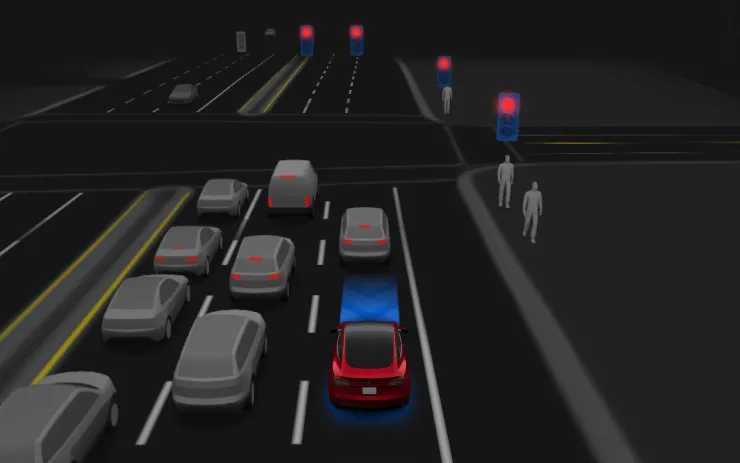
FSD (Supervised) v14 Lite includes:
- Distilled the intelligence from HW4 V14 into HW3. This allows HW3 to directly learn how to handle scenarios using HW4 V14 as a guide. This process unlocks the improvements that have been made to HW4 including Reinforcement Learning (RL) and offline models for HW3.
- Improved both proactive and reactive responsiveness across a wide variety of categories including navigation handling, merges and forks, pedestrian interactions, traffic lights, and vehicle cut-in scenarios.
- Improved general comfort in nominal scenarios through fewer false slowdowns, smoother steering and more consistent lane centering.
- Introduced parking, unparking, and reversing capabilities.
- Added Arrival Options for you to select where FSD should park: in a Parking Lot, on the Street, in a Driveway, or at the Curbside.
- Speed Profiles are now available at all times, to further customize driving style preference.
Arrival Options
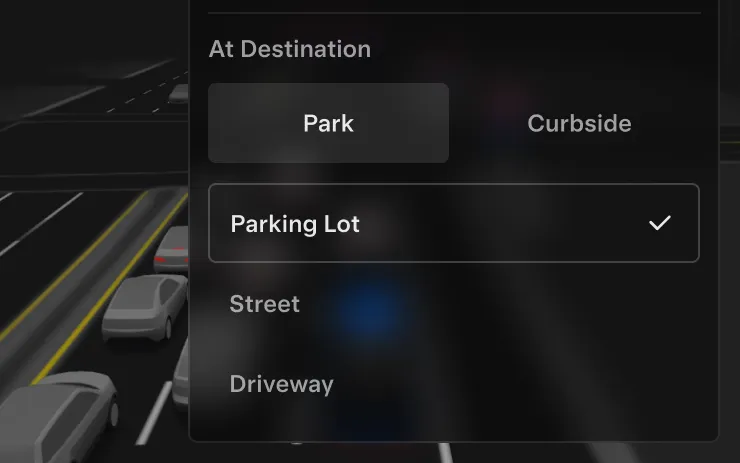
- You can now select an arrival option such as Parking Lot, Street, Driveway, and Curbside for Robotaxi-style drop offs.
- Your preferences for arrival options and preferred parking positions are persisted for each destination.
Speed Profiles
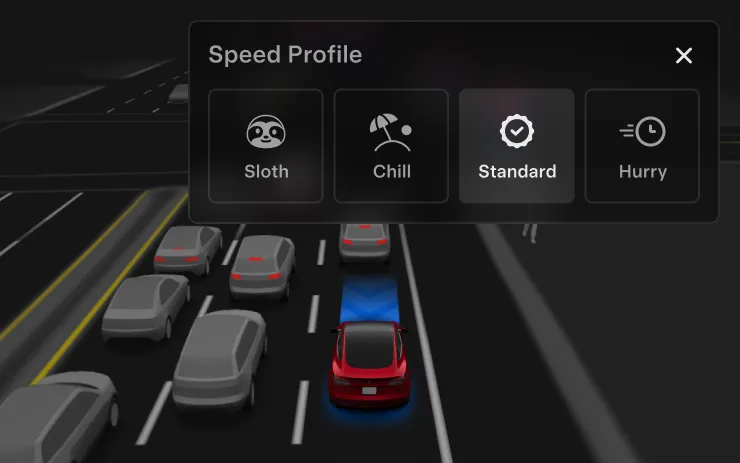
FSD (Supervised) will now determine the appropriate speed based on a mix of driver profile, speed limit, and surrounding traffic.
- Introduced new Speed Profile SLOTH, which comes with lower speeds & more conservative lane selection than CHILL.
- Driver profile now has a stronger impact on behavior. The more assertive the profile, the higher the max speed.
- Right scroll-wheel up/down now adjusts Speed Profile setting rather than your precise max speed offset selection in mph/kph.
UI Improvements
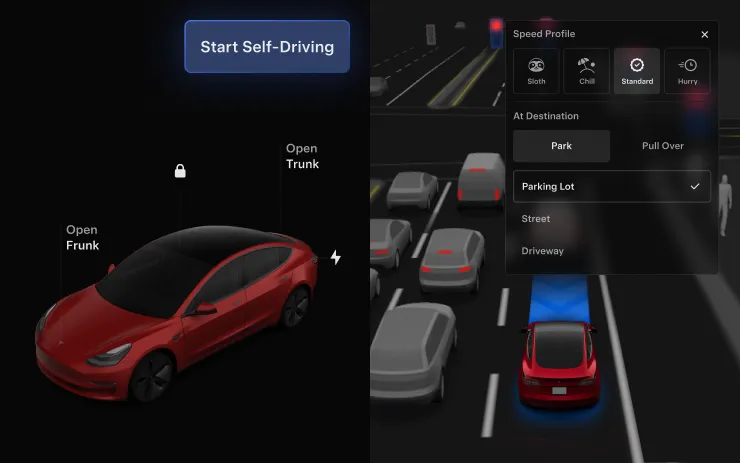
Adjust settings like the Speed Profile and Arrival Options directly from the Self-Driving visualization on the center display.
Start Self-Driving from Park
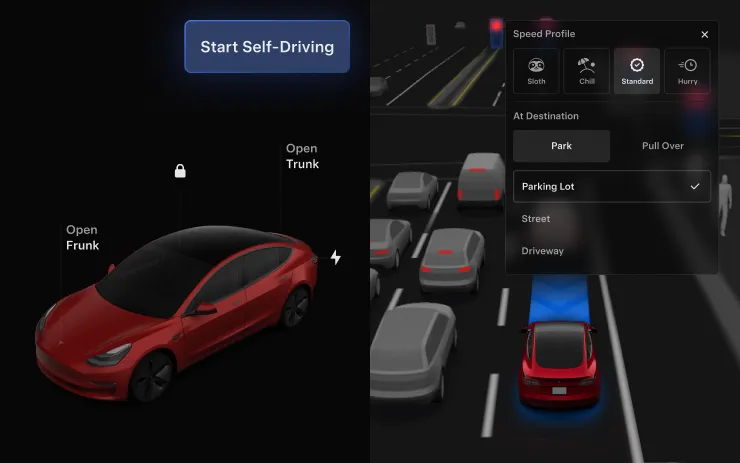
A button will appear on the screen when driver requirements are met. Driver requirements include (but are not limited to):
- Driver is seated in driver’s seat
- Driver is buckled
- Cabin Camera is unobstructed
To engage FSD (Supervised), tap the Start Self-Driving button, then press and release the brake pedal.
This feature does not make your vehicle autonomous and you must remain attentive and be ready to take over at any time. Only a licensed driver authorized to operate the vehicle should be allowed access to the driver’s seat position any time the vehicle is not in Theater or Arcade modes.
We’ve launched an official Tesla Owners Online Forum. Join early and claim your "Founding Fuel" badge.