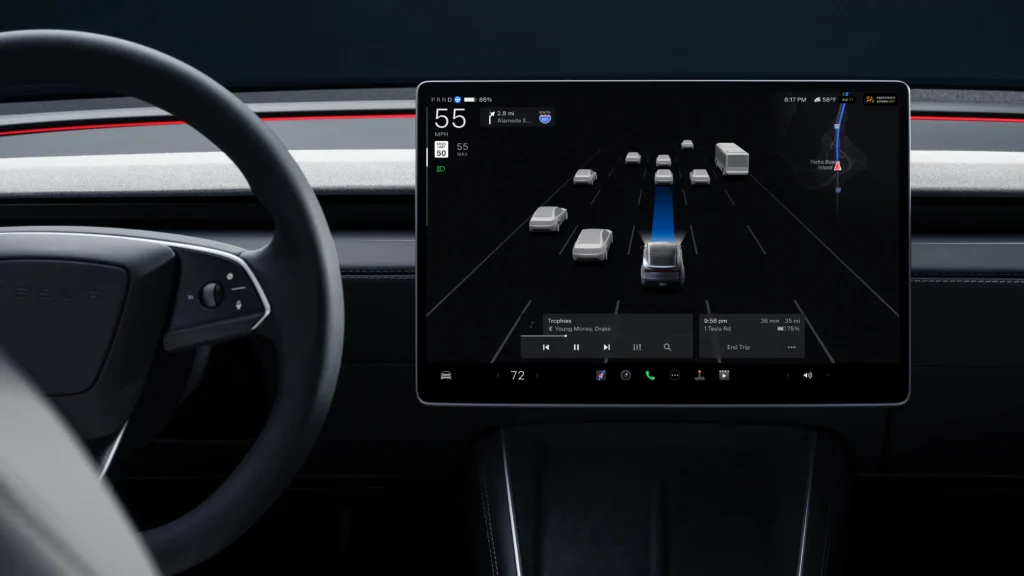
Tesla recently started pushing software update 2026.20.6.6 to its fleet. And this package includes Full Self-Driving v14.3.5, moving the company’s latest self-driving software onto newer vehicle firmware. Early versions of the v14.3 system rolled out on the 2026.14.6 branch, keeping some owners waiting for newer base vehicle features. Now the two lines are merging. The software began reaching customer cars in late June and early July 2026.
Camera preview anytime
One clear difference in this update is how drivers interact with the car’s video feeds. The Camera Preview feature is now available when the vehicle is in motion, rather than strictly in Park. You can access it by going to Controls, then Service, and then tapping Camera Preview. From there, tapping any single camera expands its view, and a grid button returns you to the multi-camera layout. Back in mid-2023, Tesla introduced a way to view all nine cameras in the Service menu, but it required the car to be stationary. This latest software step makes checking those feeds much easier on the road.
FSD v14.3.5 camera preview: Video
FSD V14.3.5 Camera Preview
— Devin Olsen (@DevinOlsenn) July 13, 2026
This is newly added to this version and it allows you to see the all of the cameras while you’re driving. pic.twitter.com/kOa9uNUD8I
Self-driving changes remain the same
Tesla did not add new self-driving patch notes for this exact build. In fact, the FSD v14.3.5 notes match earlier releases in the v14.3 family, and this release is largely a bug-fix package. But the underlying technology remains a big step up from last year. The automaker replaced its AI compiler and runtime with an MLIR-based setup. Company filings and Elon Musk’s past statements reports this change cuts system reaction time by 20 percent and speeds up development.
Then there are the neural network changes. The vision encoder was updated to handle bad weather and rare scenes better. It reads 3D geometry and traffic signs more accurately. Beyond that, the car’s lane selection logic was tuned to stop minor tailgating and prevent the car from sitting too close to lane lines.
Parking got some attention too. FSD now predicts parking spots more decisively and displays a ‘P’ icon on the screen to indicate exactly where it plans to stop. The system reacts better to emergency vehicles, right-of-way violators, and school buses. Meanwhile, Tesla trained the car on difficult scenarios involving small animals and tricky traffic lights. If a camera gets blocked or computation briefly drops, the car is now better at maintaining control and recovering without forcing the driver to take over immediately.
Shared backend and new statistics
Tesla combined the models running Actually Smart Summon, Robotaxi, and FSD into one system. So Smart Summon now moves faster, jumping from a maximum speed of 6 mph to 8 mph. And the company wants more data from the people testing it. The software asks drivers why they disengaged the system through a new menu. Owners can view their intervention-free driving distance and track their longest streak without touching the wheel.
Official release notes
FSD (Supervised) v14.3.5
Included in 2026.20.6.6
Full Self-Driving (Supervised) v14.3.5 includes:
– Upgraded the Reinforcement Learning (RL) stage of training the FSD neural network, resulting in improvements in a wide variety of driving scenarios.
– Upgraded the neural network vision encoder, improving understanding in rare and low-visibility scenarios, strengthening 3D geometry understanding, and expanding traffic sign understanding.
– Rewrote the AI compiler and runtime from the ground up with MLIR, resulting in 20% faster reaction time and improving model iteration speed.
– Mitigated unnecessary lane biasing and minor tailgating behaviors.
– Increased decisiveness of parking spot selection and maneuvering.
– Improved parking location pin prediction, now shown on a map with a P icon.
– Enhanced response to emergency vehicles, school buses, right-of-way violators, and other rare vehicles.
– Improved handling of small animals by focusing RL training on harder examples and adding rewards for better proactive safety.
– Improved traffic light handling at complex intersections with compound lights, curved roads, and yellow light stopping — driven by training on hard RL examples sourced from the Tesla fleet.
– Improved handling for rare and unusual objects extending, hanging, or leaning into the vehicle path by sourcing infrequent events from the fleet.
– Improved handling of temporary system degradations by maintaining control and automatically recovering without driver intervention, reducing unnecessary disengagements.
– Improved driver monitoring system sensitivity with better eye gaze tracking, eye wear handling, and higher accuracy in variable lighting conditions.
– Unified the model between Actually Smart Summon, FSD, and Robotaxi for more capable and reliable behavior.
– Actually Smart Summon max speed is now increased to 8mph (13km/h).
– Help Tesla improve Self-Driving by selecting an intervention reason on the main screen after taking over.
– You can now see distance traveled in FSD (Supervised) without an intervention. The Self-Driving App will also show your longest intervention-free streak.
– Parking options now display on the map when arriving at your destination.
Upcoming Improvements:
– Expand reasoning to all behaviors beyond destination handling.
– Add pothole avoidance.
Full Self-Driving (Supervised)
Included in 2026.20.6.6
Under your supervision, Full Self-Driving (Supervised) can drive your Tesla almost anywhere. It will start from a parked position, make lane changes, select forks to follow your navigation route, navigate around other vehicles and objects, make left and right turns and park at your destination. You and anyone you authorize must use additional caution and remain attentive. It does not make your vehicle autonomous. Do not become complacent.
Full Self-Driving (Supervised) is enabled on your vehicle. To use the feature, press the Start Self-Driving button on the UI, or press the right scroll wheel button once. You can disable Full Self-Driving (Supervised) in Self-Driving Settings.
Camera Preview
Included in 2026.20.6.6
You can now open Camera Preview at any time, even if your Tesla is not in Park.
Go to Controls > Service > Camera Preview and tap on any camera view to see it individually. Tap the grid button to switch back to all cameras.
We’ve launched an official Tesla Owners Online Forum. Join early and claim your "Founding Fuel" badge.